Features · On every plan, including free
A simple sales pipeline for small teams
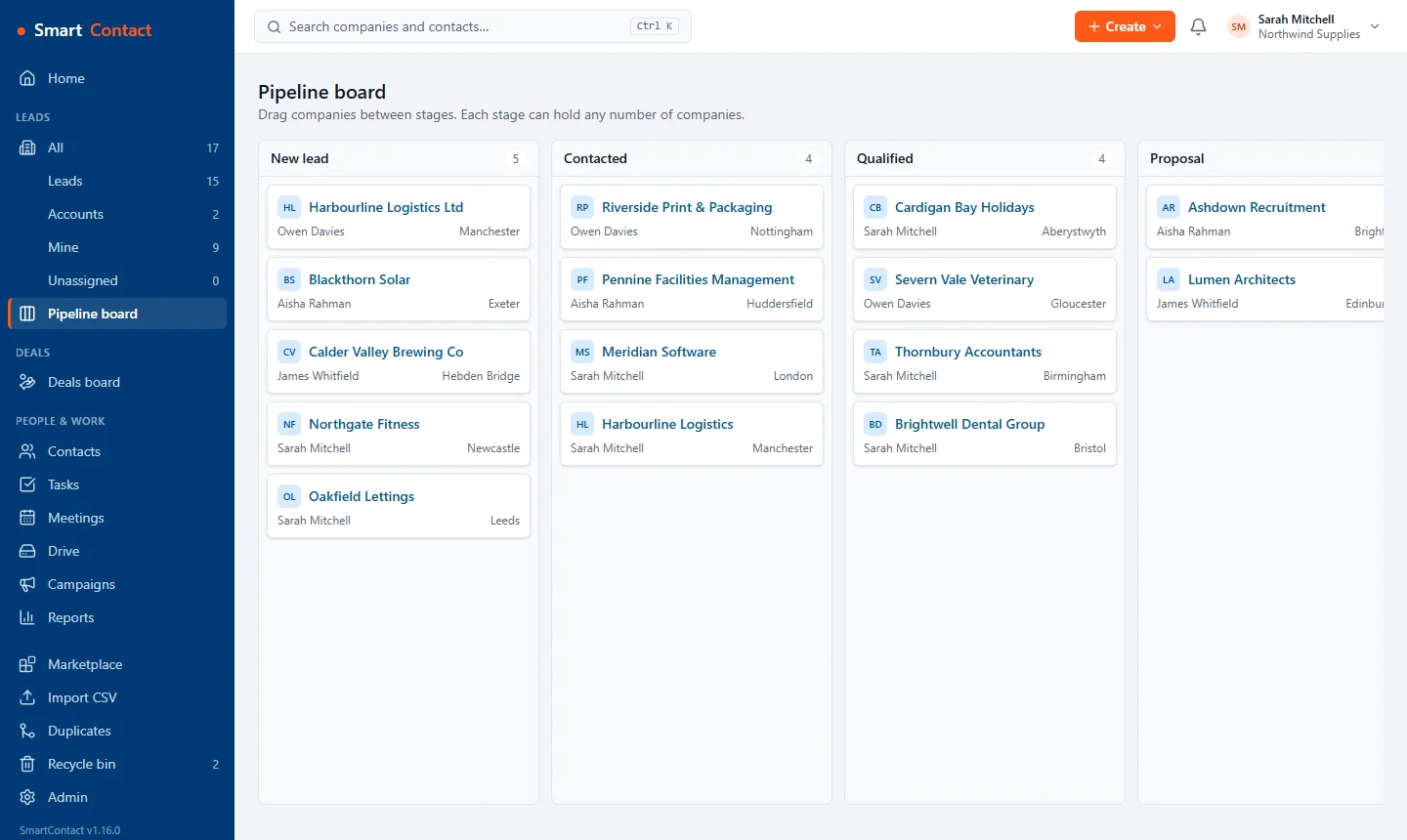
Every company sits in a stage you choose, from first enquiry to signed account. The board shows where everything is and what needs a nudge, without the clutter of a big CRM.
What you get
Your stages, your words
Rename, add and reorder stages in Settings in a minute. Mark which stages count as won, lost or an active account.
Drag and drop
Move a lead to the next stage on the board and the change is logged on its timeline, with who moved it and when.
More than one pipeline
Run separate pipelines for different products, services or teams, each with its own stages.
Saved views
Filter by owner, stage, source or custom field and save the view, so your everyday list is one click away.
Set it up
- Open Settings › Pipelines & stages and name your stages.
- Import your companies or add them as they come in.
- Work the board each morning: drag leads on as they progress and log the call as you go.
Questions
Is the pipeline on the free plan?
Yes. Basic, the free plan for up to 2 users and 500 companies, includes the pipeline board, multiple pipelines and saved views.
Can I track deals separately from companies?
Yes. Deals have their own pipelines with values, close dates and win probabilities, so one company can have several open deals.
Pricing
Basic is free for up to 2 users and 500 companies. Standard is £10 per user per month (or £100 per user per year) with unlimited users and companies. Your first workspace gets Standard free for 30 days, no card needed. Prices exclude VAT.
Related: Deals and forecasts · Workflow automation · Import from another CRM · All features