Take the tour

Short how-to videos first, then every screen in the app, filled with a made-up company called Northwind Supplies. Nothing here is customer data.

How-to videos

Subscribe on our YouTube channel to see new ones first.

Your day

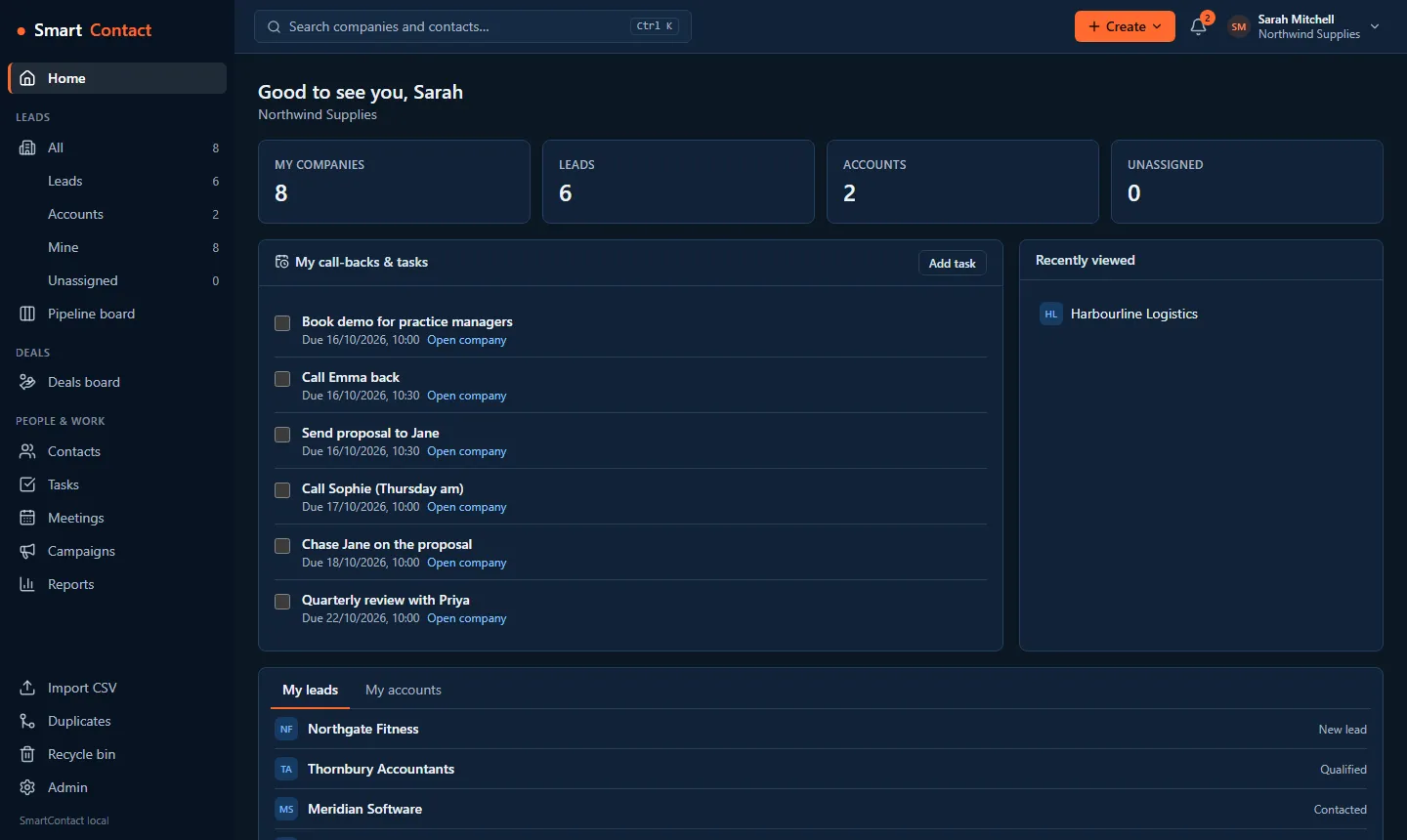
The home page: counts of companies, leads and accounts, a pinned open-pipeline report, today's call-backs and tasks, and recently viewed records.
Home: your call-backs and tasks, pinned reports and the records you opened last.
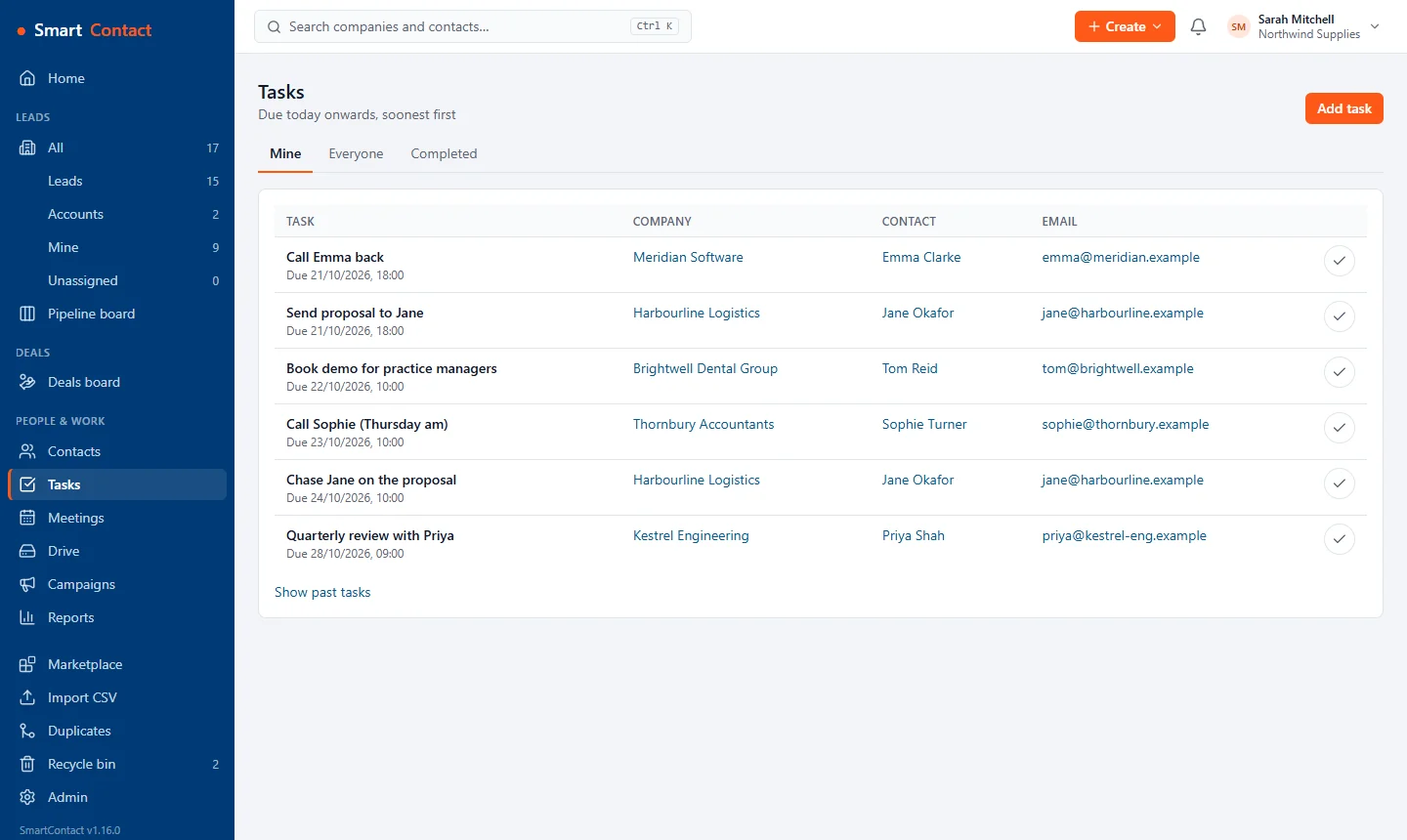
The tasks list: each task with its due date, company, contact and email, and a tick to complete it.
Tasks with the company, contact and email to hand. Tick to complete.
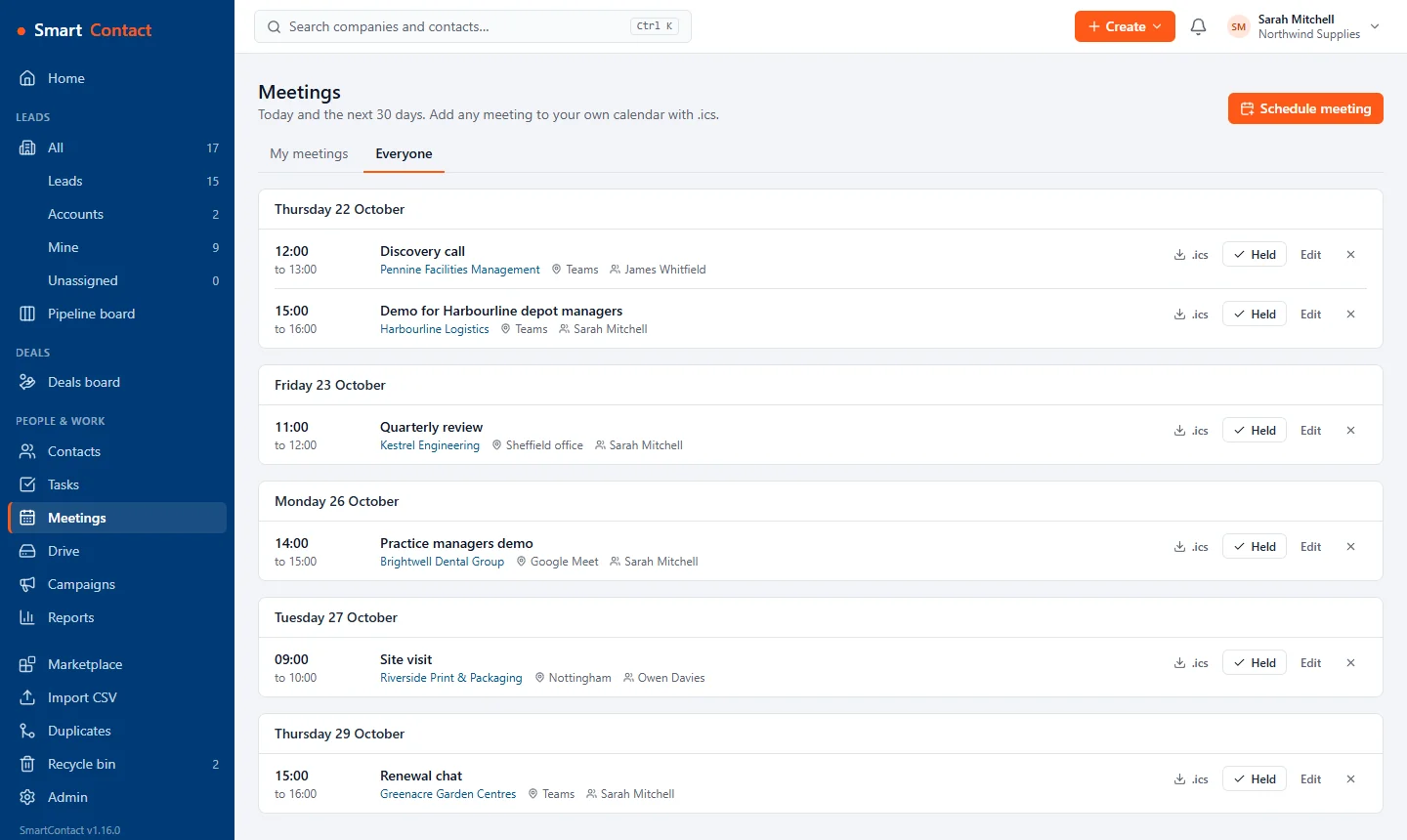
The meetings page showing the team's meetings for the next fortnight, each with its company, place and organiser.
Meetings for you or the whole team, with .ics for any calendar.

Companies and contacts

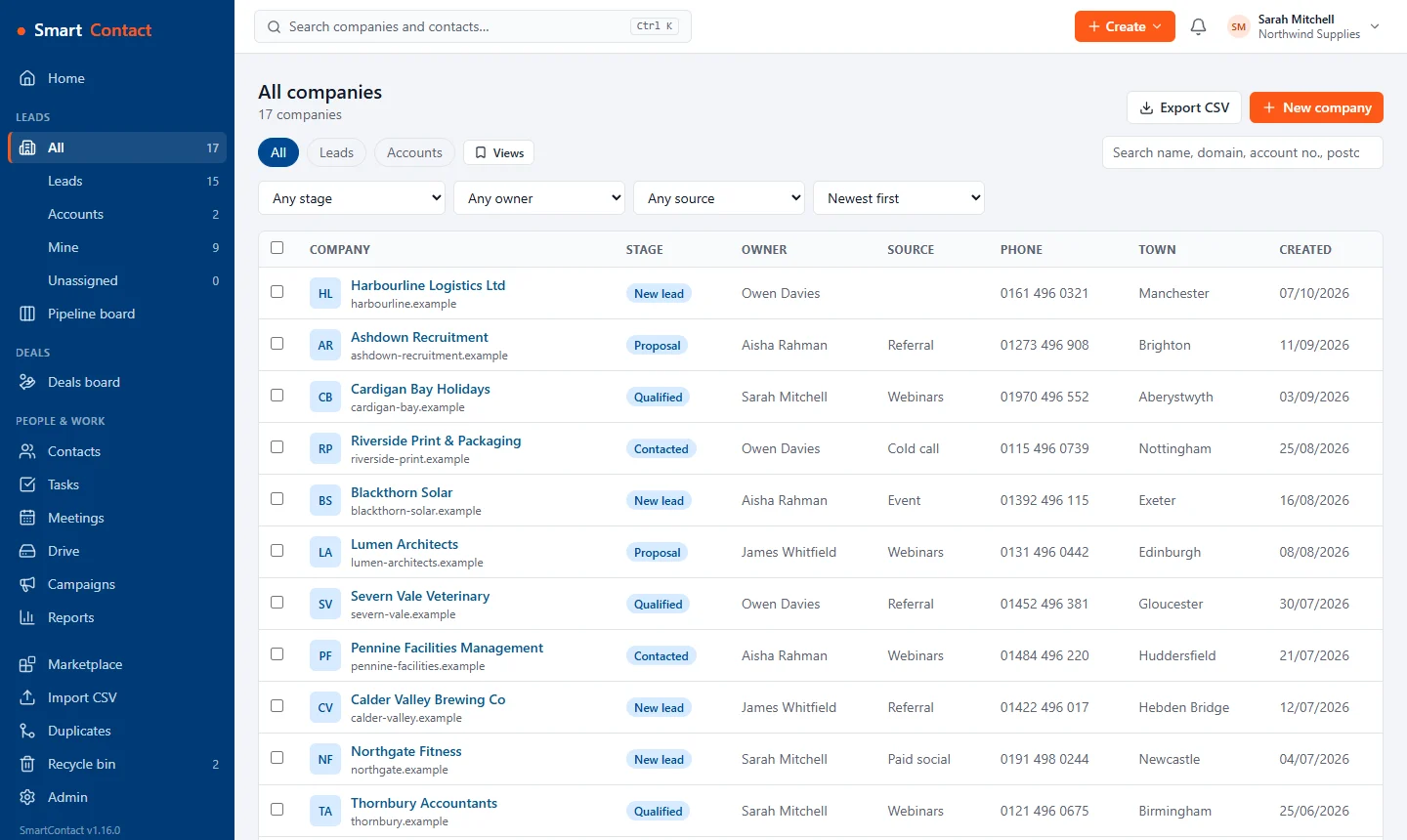
The companies list with stage, owner, lead source, phone and town columns, filters and saved views.
Every company with filters, saved views and CSV export.
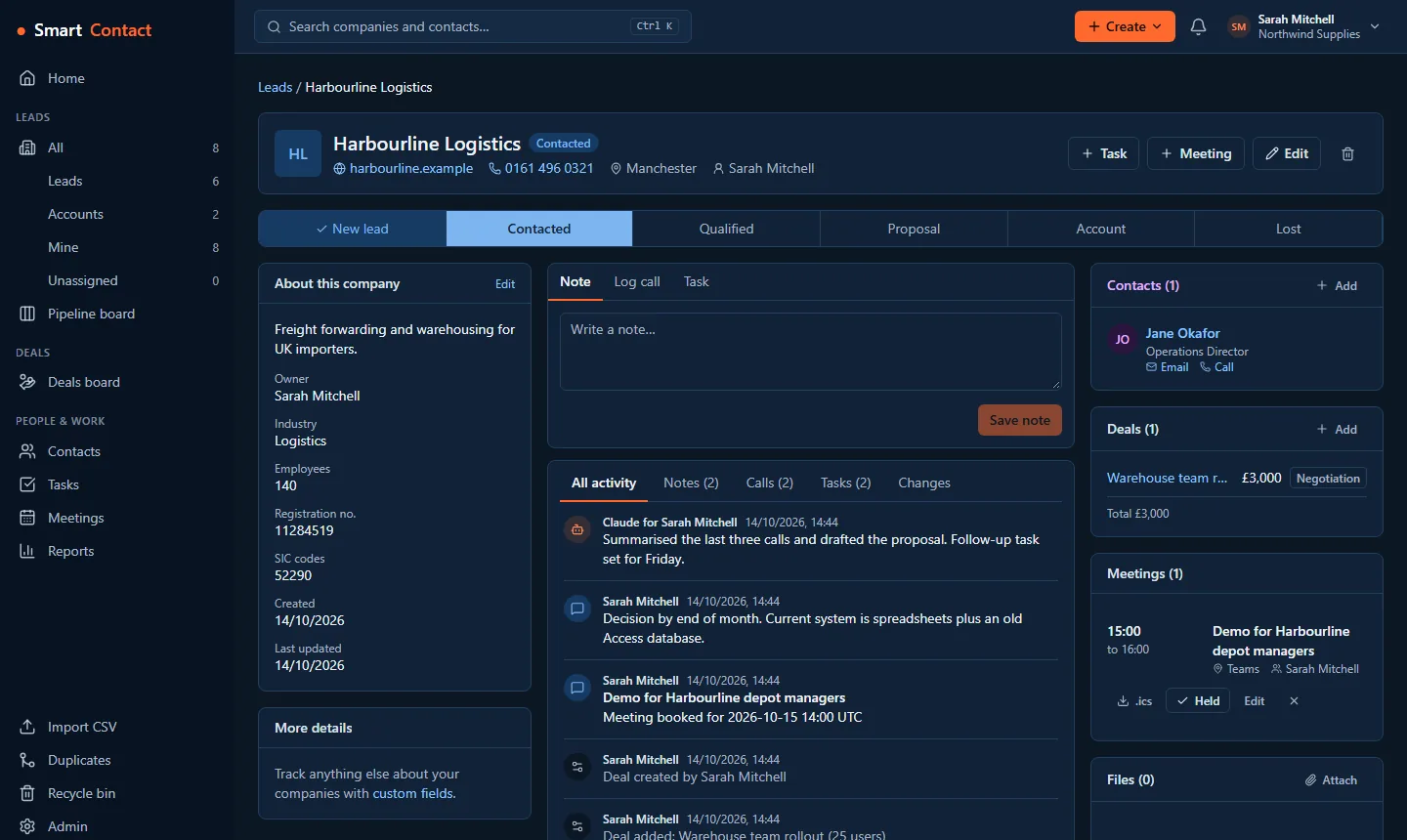
A company record: stage path, company details, a timeline of calls, notes and files, and the contact, deals and marketing touchpoints alongside.
One page per company: stage, contacts, deals, files and a timeline of everything, including what your AI agent did.
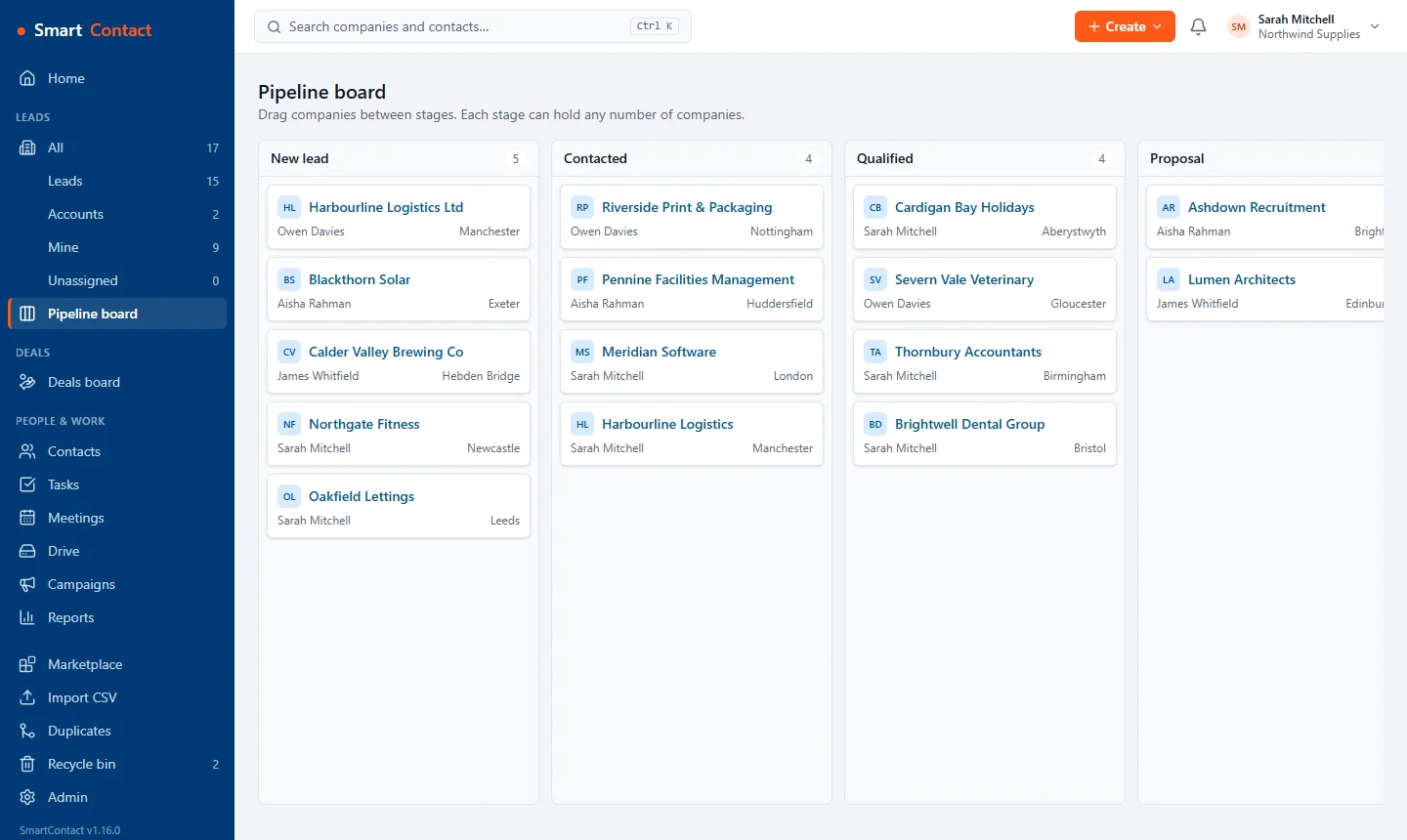
The pipeline board: companies in New lead, Contacted, Qualified and Proposal columns, each with its owner and town.
Drag companies through your pipeline stages.
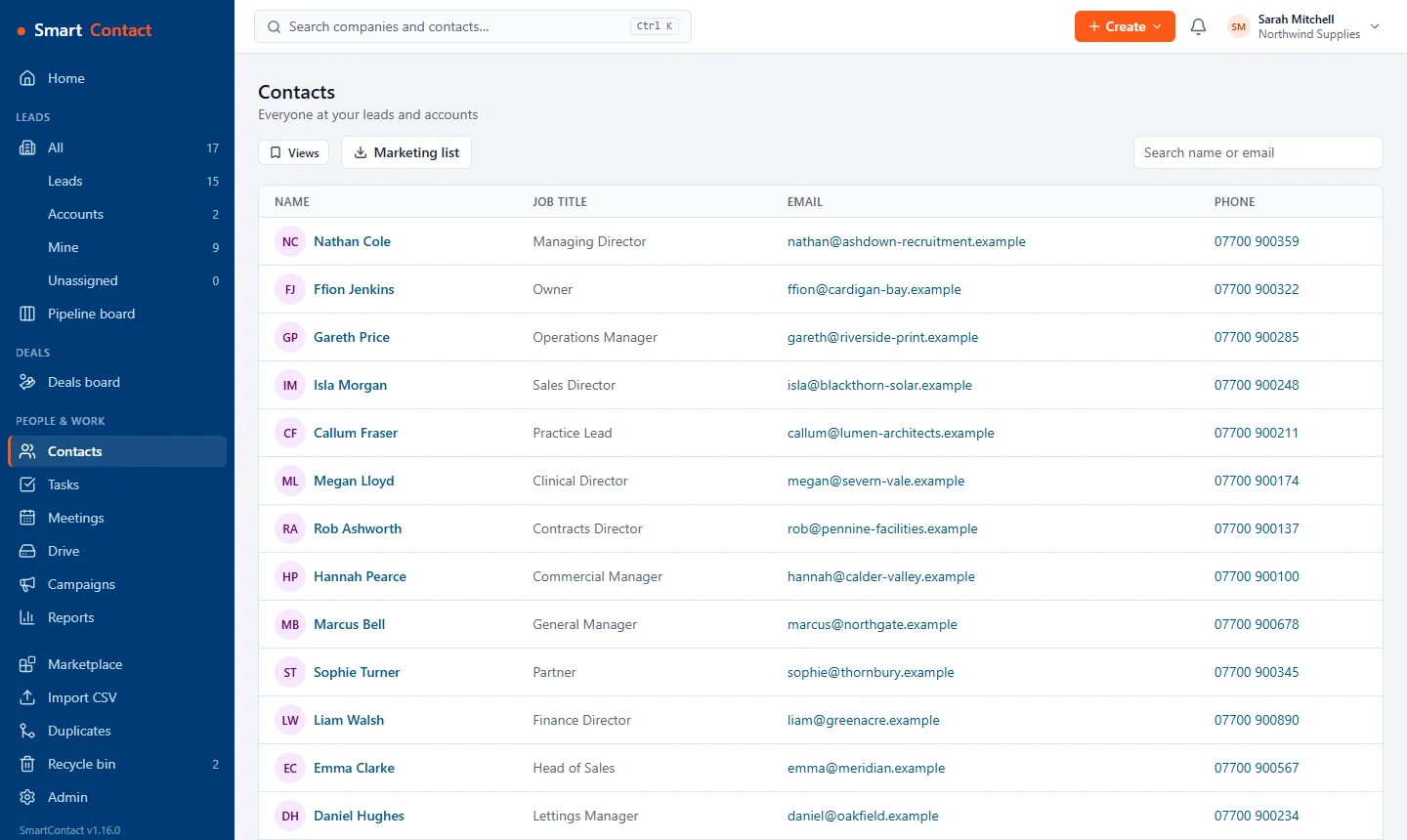
The contacts list with job title, company, email and phone for each person.
Contacts with click-to-email and click-to-call.
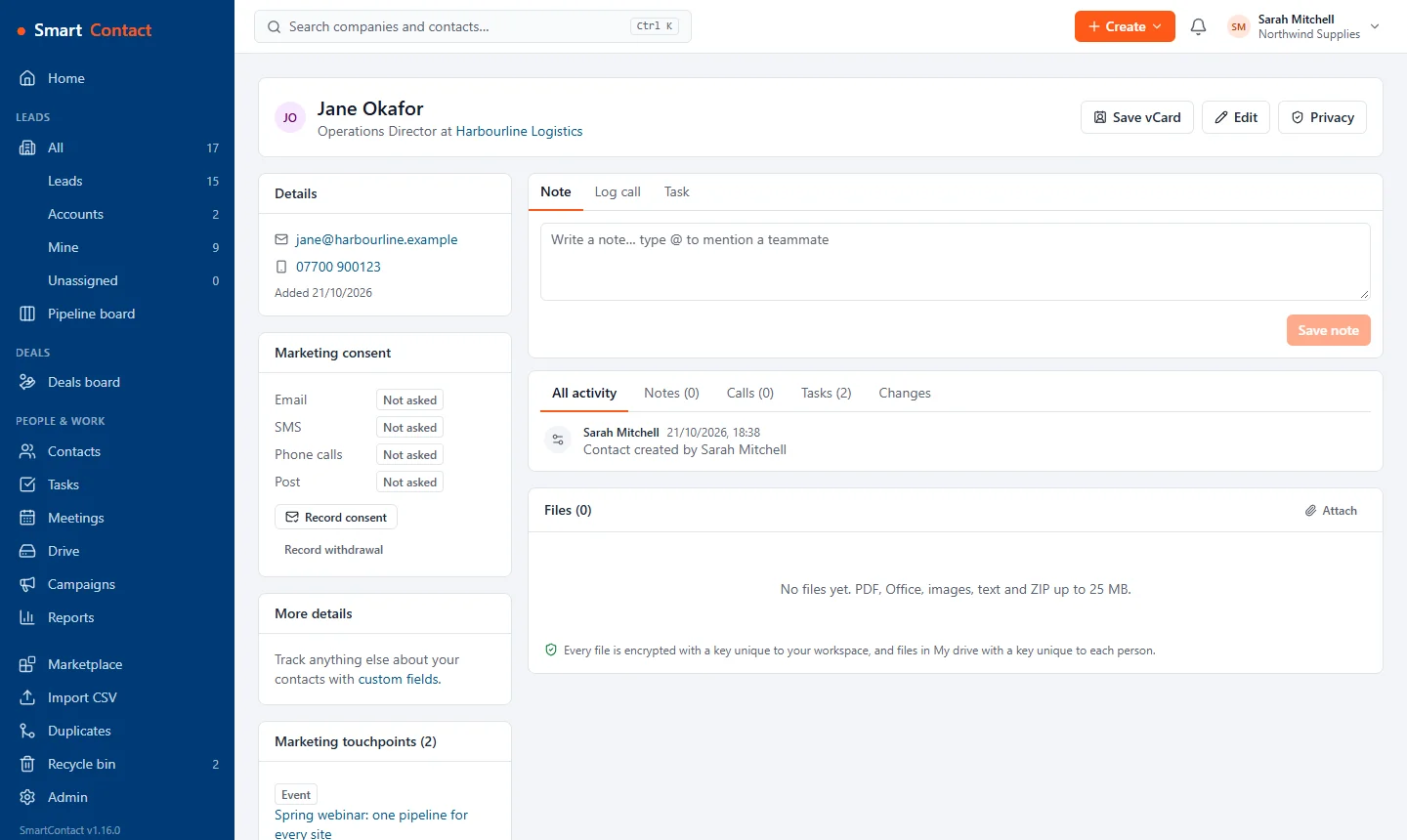
A contact record with their details, marketing consent by channel, timeline and files.
Each person's details, marketing consent, files and history.
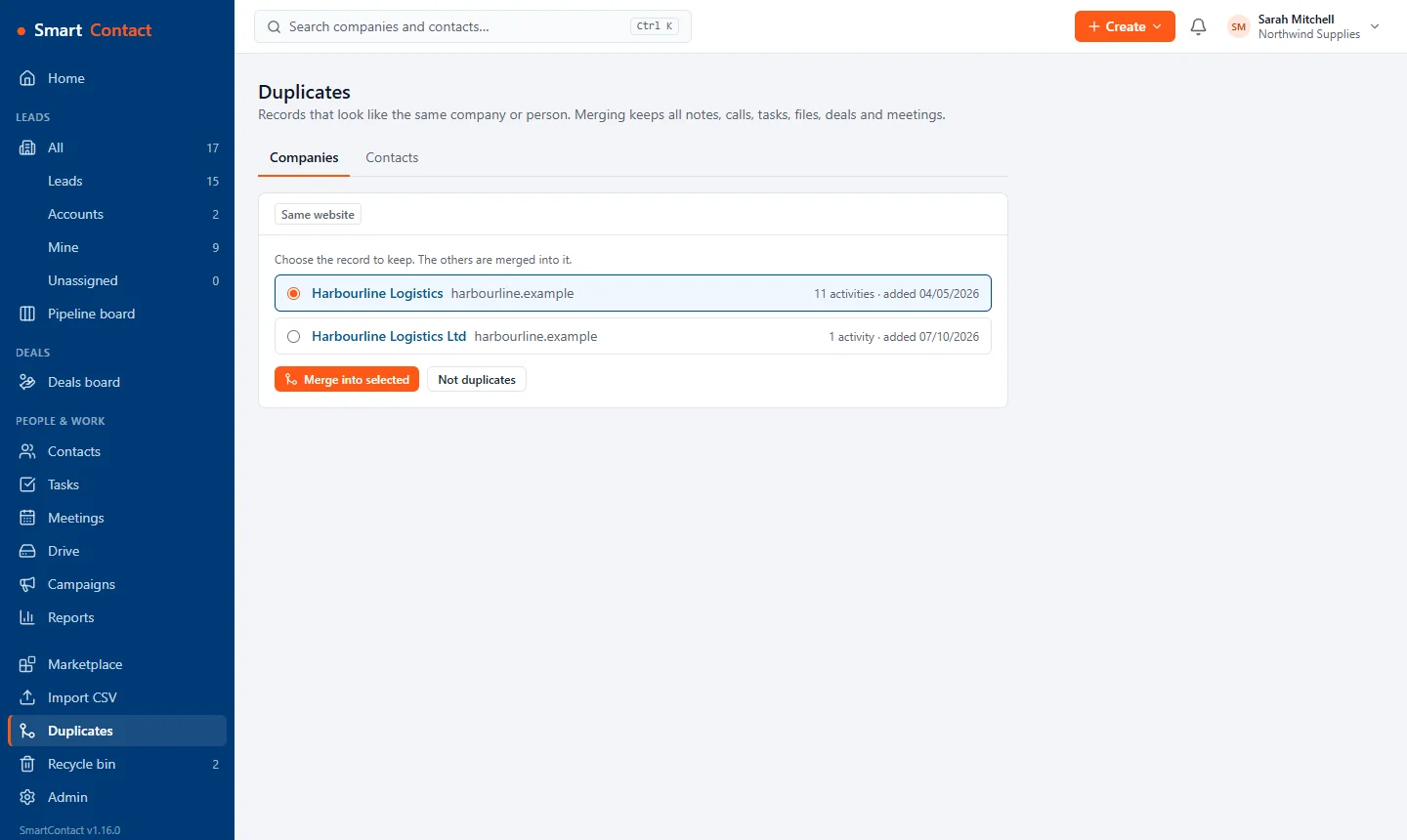
The duplicates page suggesting two Harbourline Logistics records with the same website, with a choice of which to keep.
Find and merge duplicates without losing any notes, calls or files.
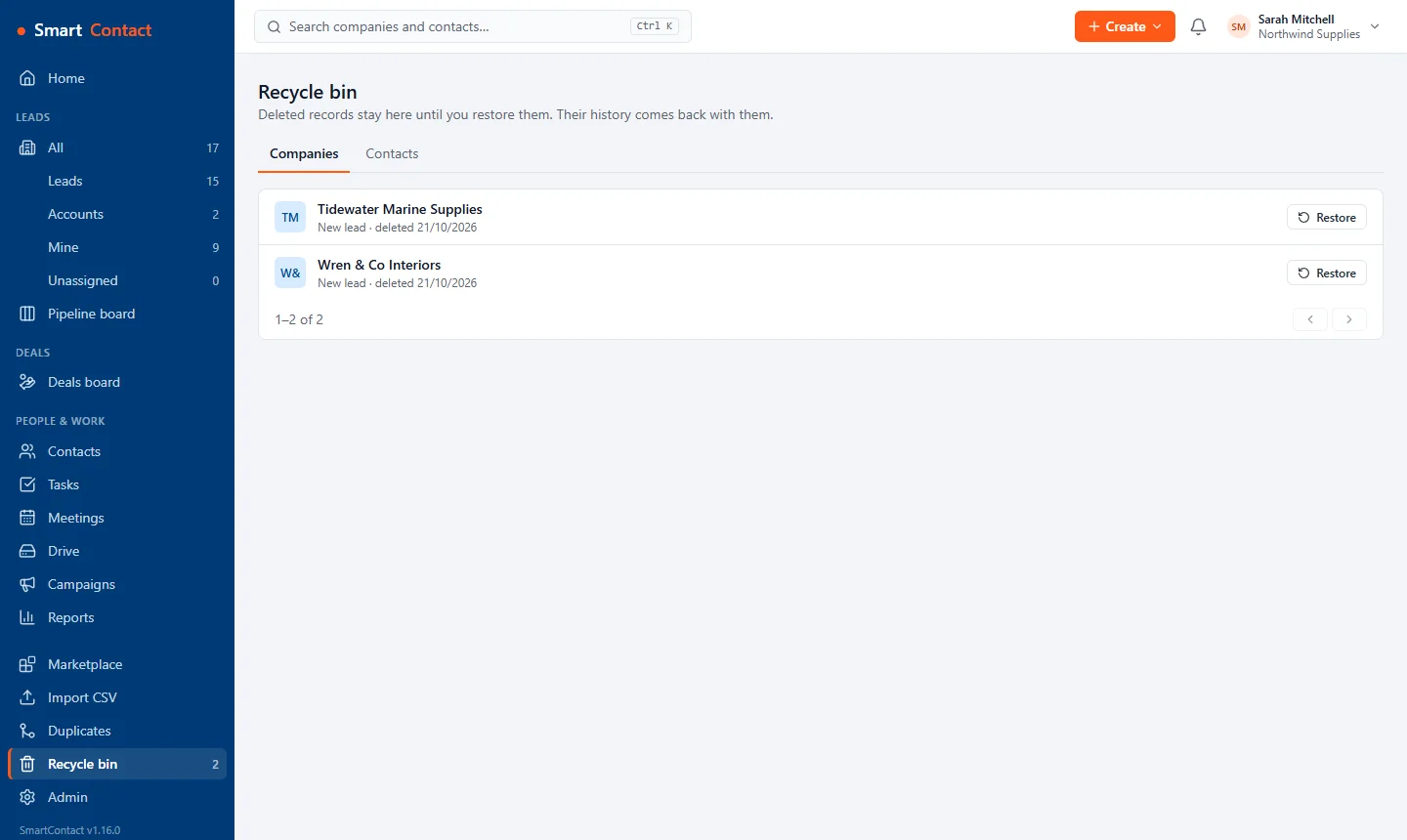
The recycle bin listing two deleted companies, each with a Restore button.
Deleted something by mistake? Restore it from the recycle bin, history and all.
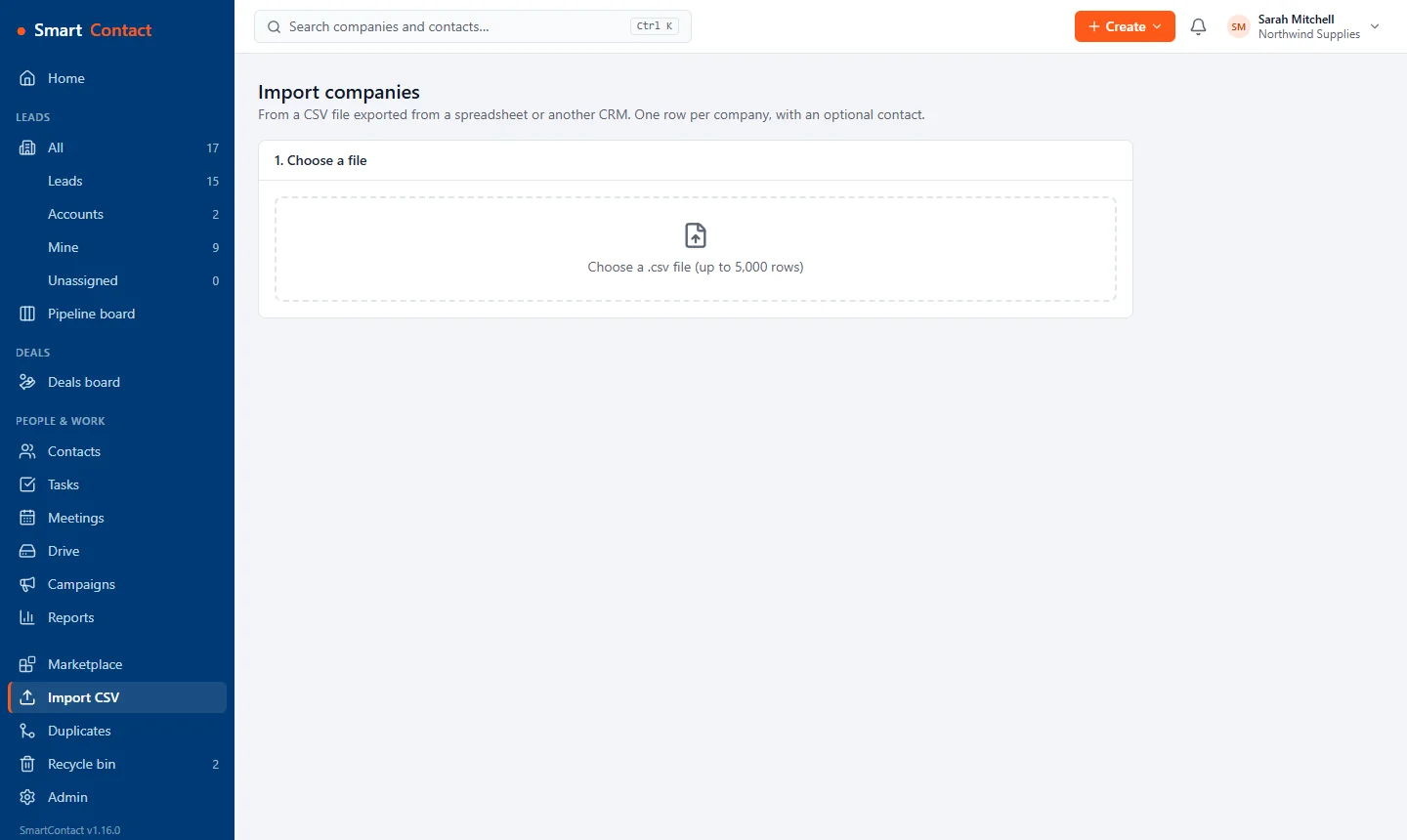
The CSV import page: choose a file of up to 5,000 rows.
Import companies and contacts from a spreadsheet or another CRM.

Deals

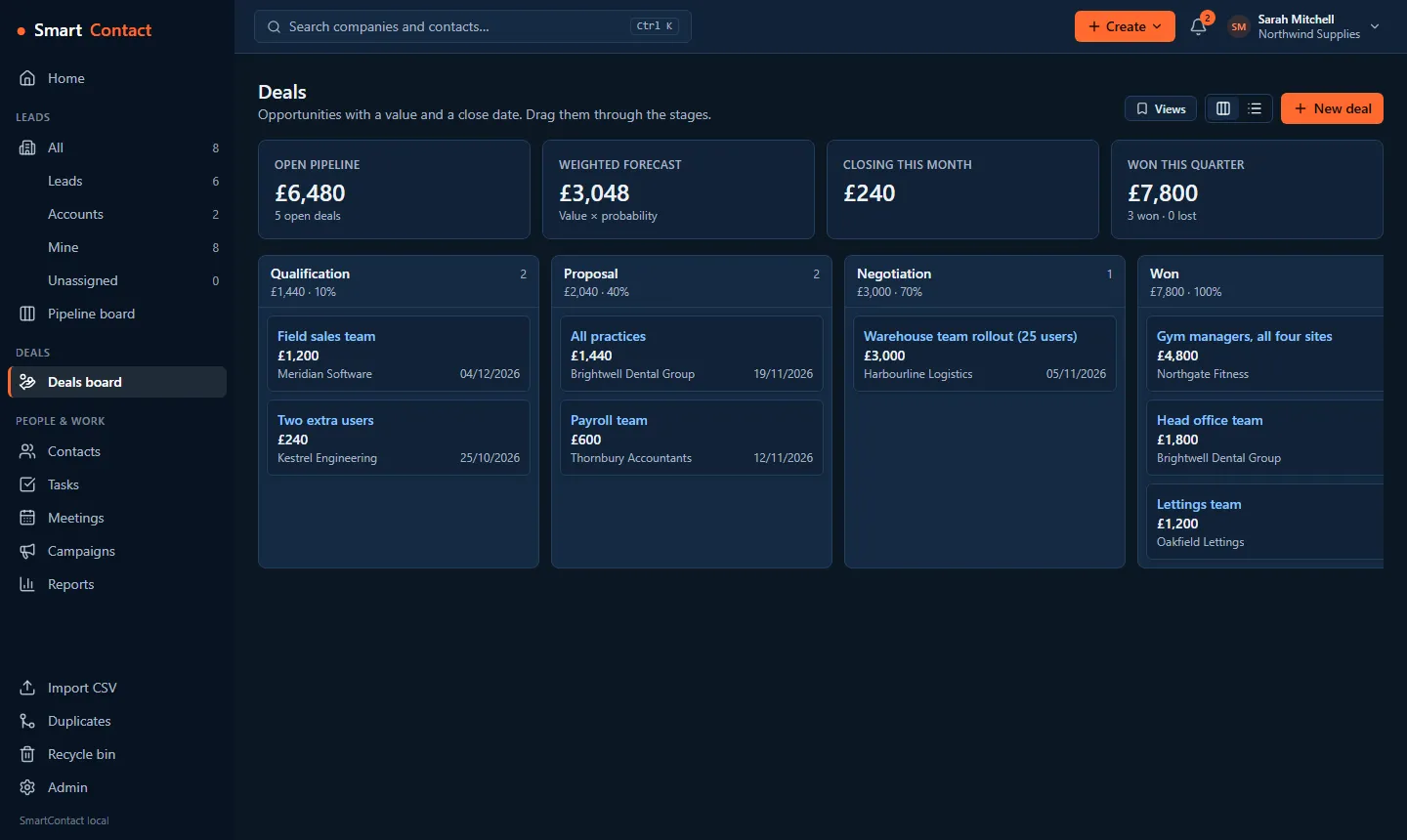
The deals board: open pipeline, weighted forecast, closing this month and won this quarter, with deals in Qualification, Proposal, Negotiation and Won columns.
Deals board with open pipeline and weighted forecast.
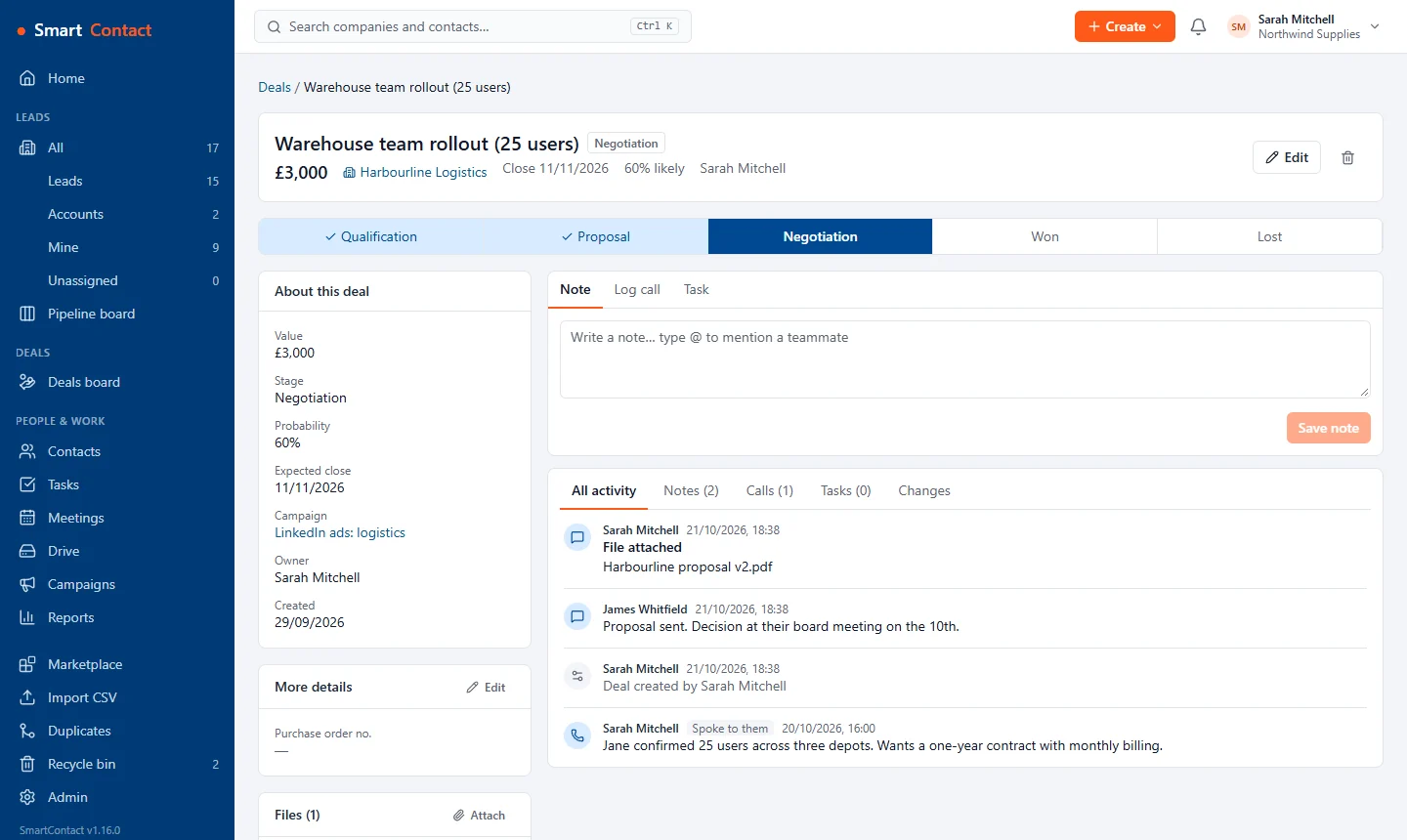
A deal record: value, close date and probability, stage path, details and a timeline with a call, a note and an attached proposal.
Each deal with its stage, value, files and history.

Drive (Standard)

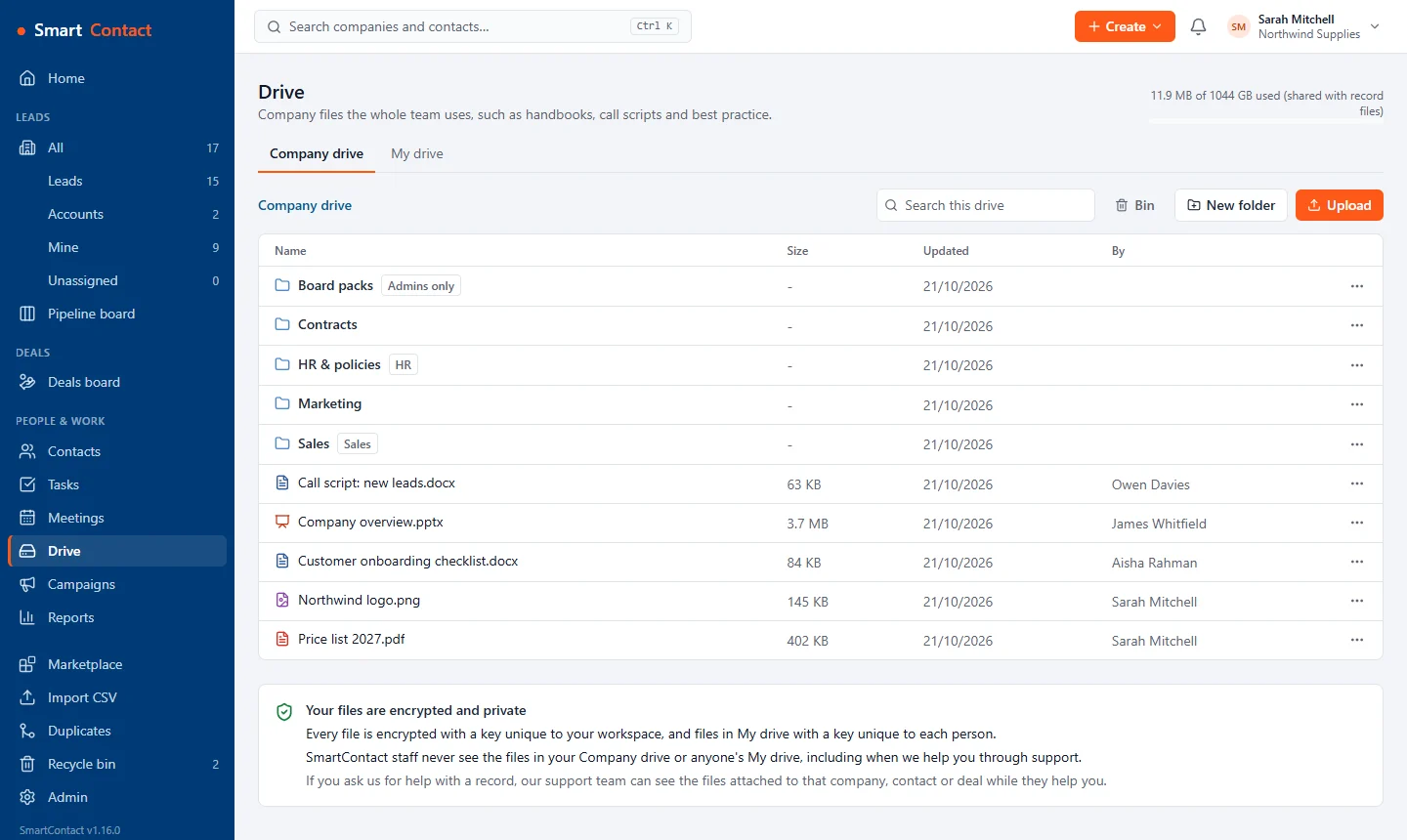
The Company drive: folders for Sales, Contracts, Marketing, HR and policies and Board packs, some limited to a team or to admins, and shared files.
A Company drive for handbooks, proposals and call scripts. Limit any folder to admins or a team.
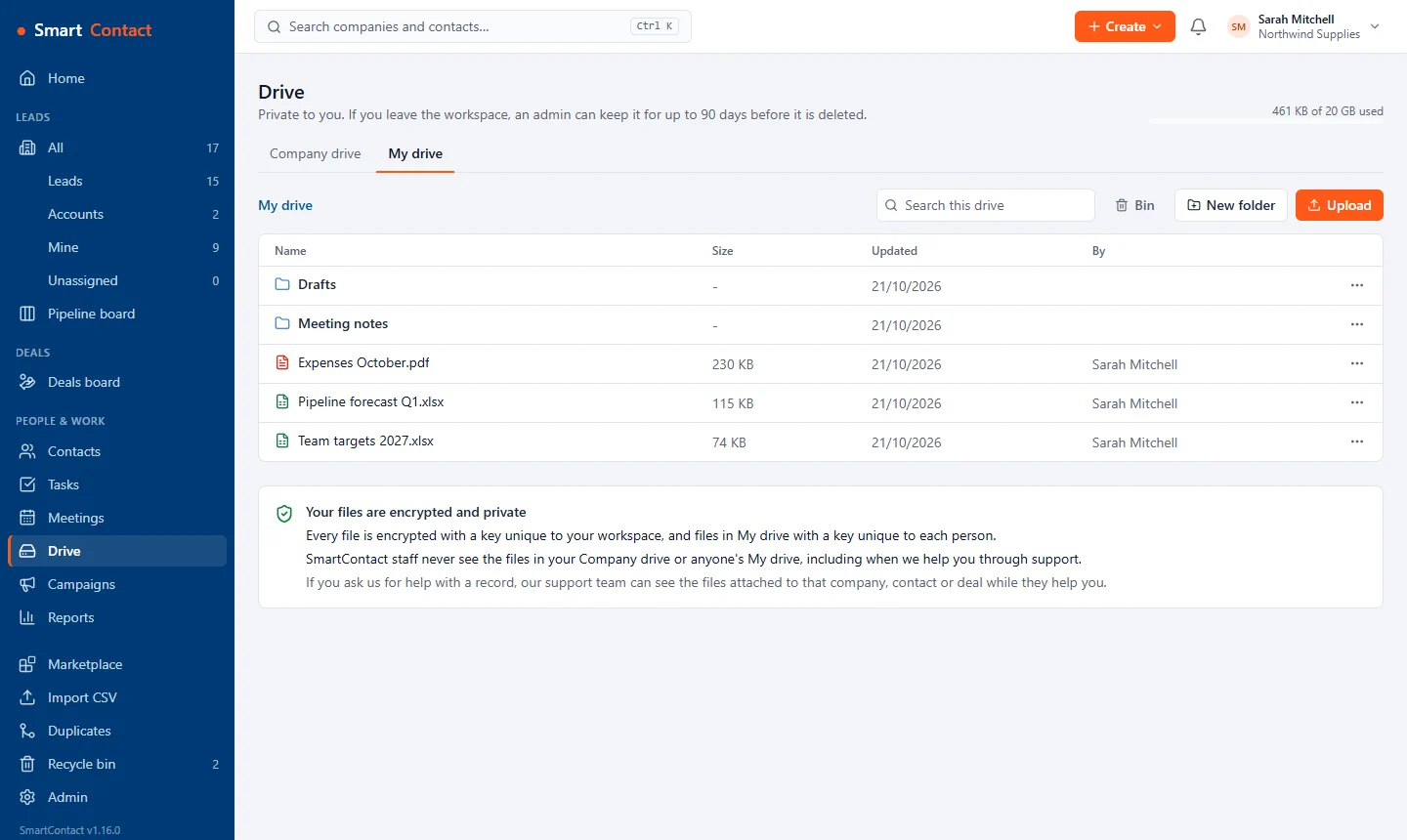
My drive: private folders and files for one person.
Everyone gets a private 20 GB My drive, separate from the shared company storage. Every file is encrypted.

Marketing (Standard)

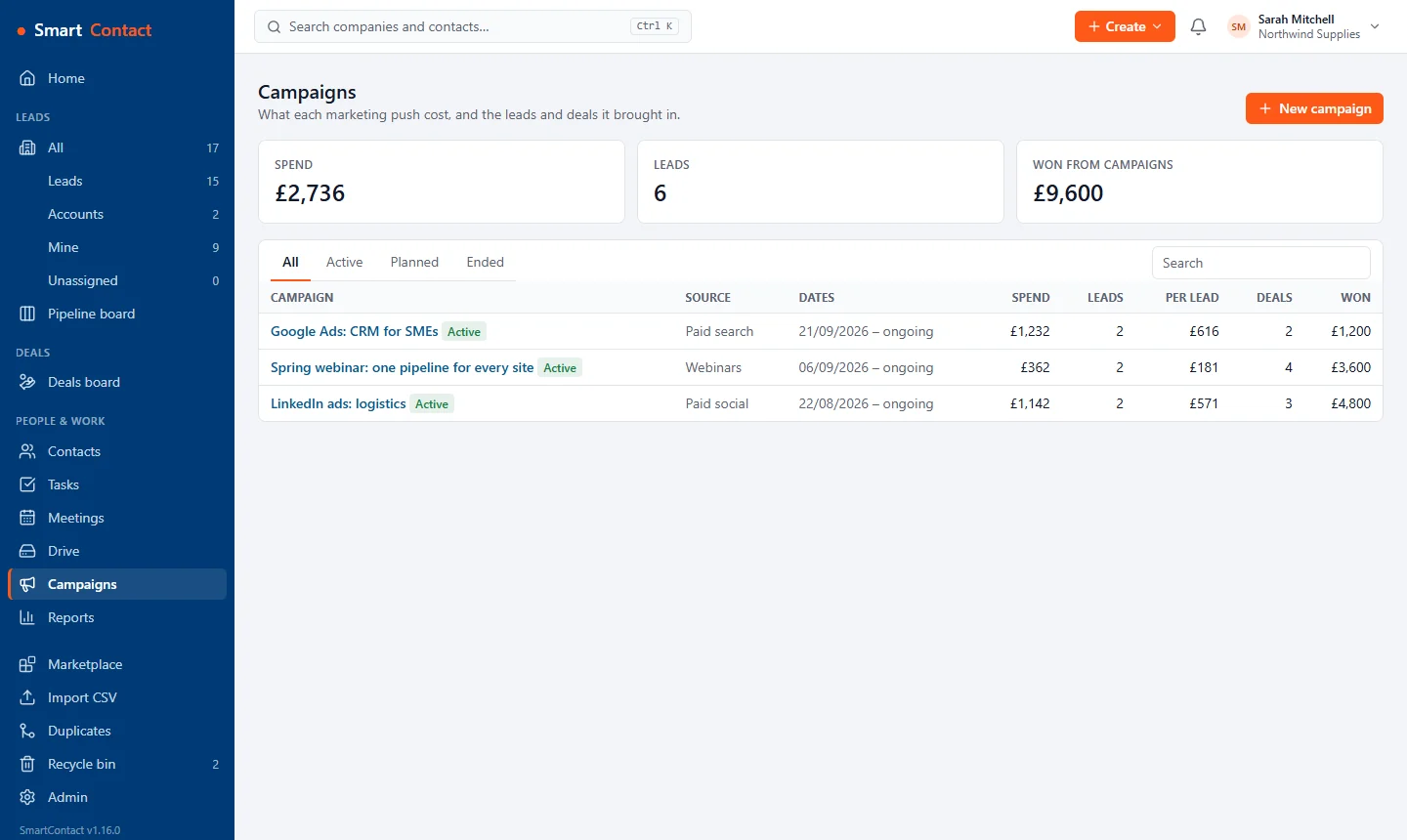
The campaigns list with source, dates, spend, leads, cost per lead, deals and revenue won for each campaign.
Every campaign's spend, leads and revenue side by side.
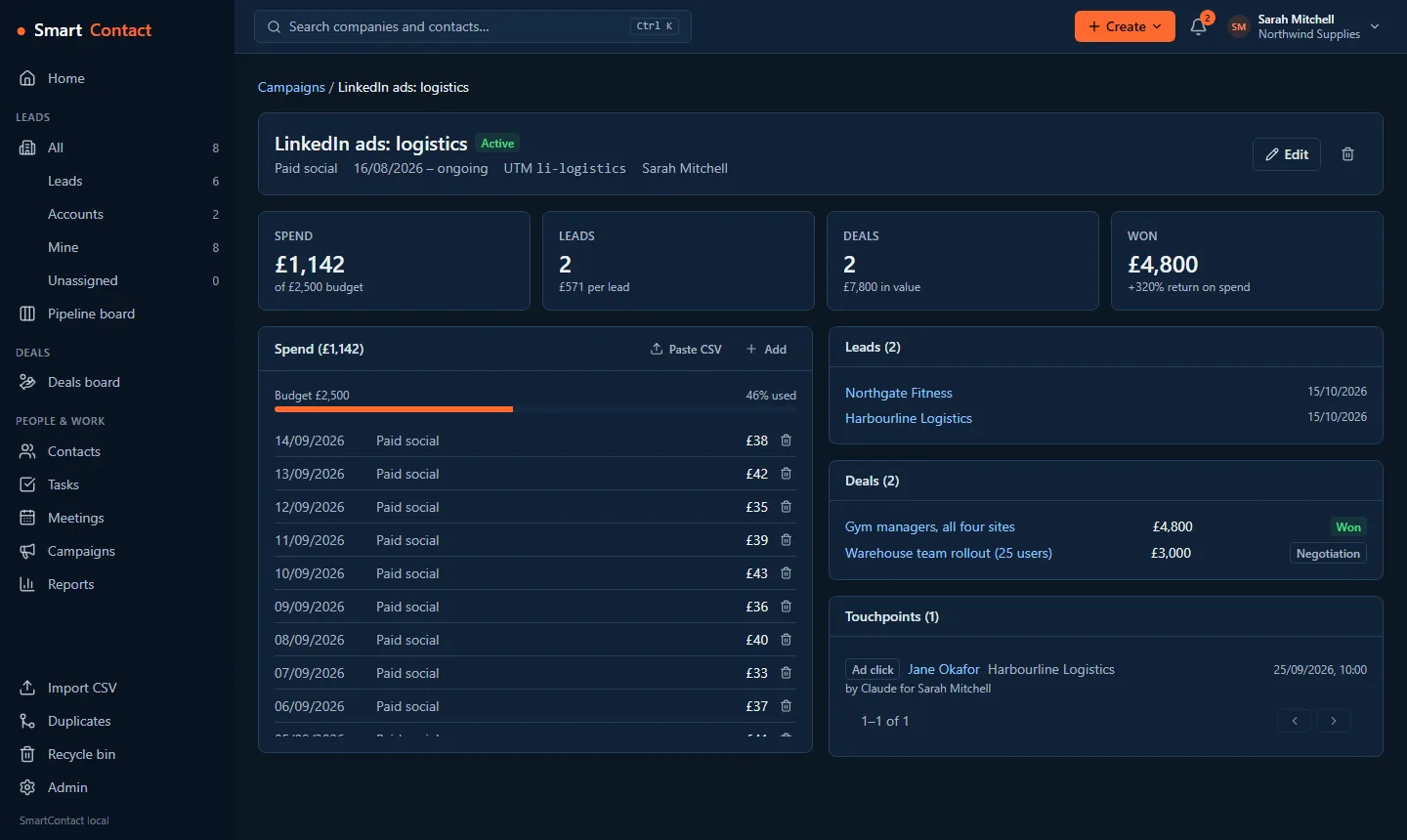
A campaign page: spend against budget, the leads and deals it brought in, and touchpoints such as ad clicks and form fills.
One campaign's spend, leads, deals and touchpoints.
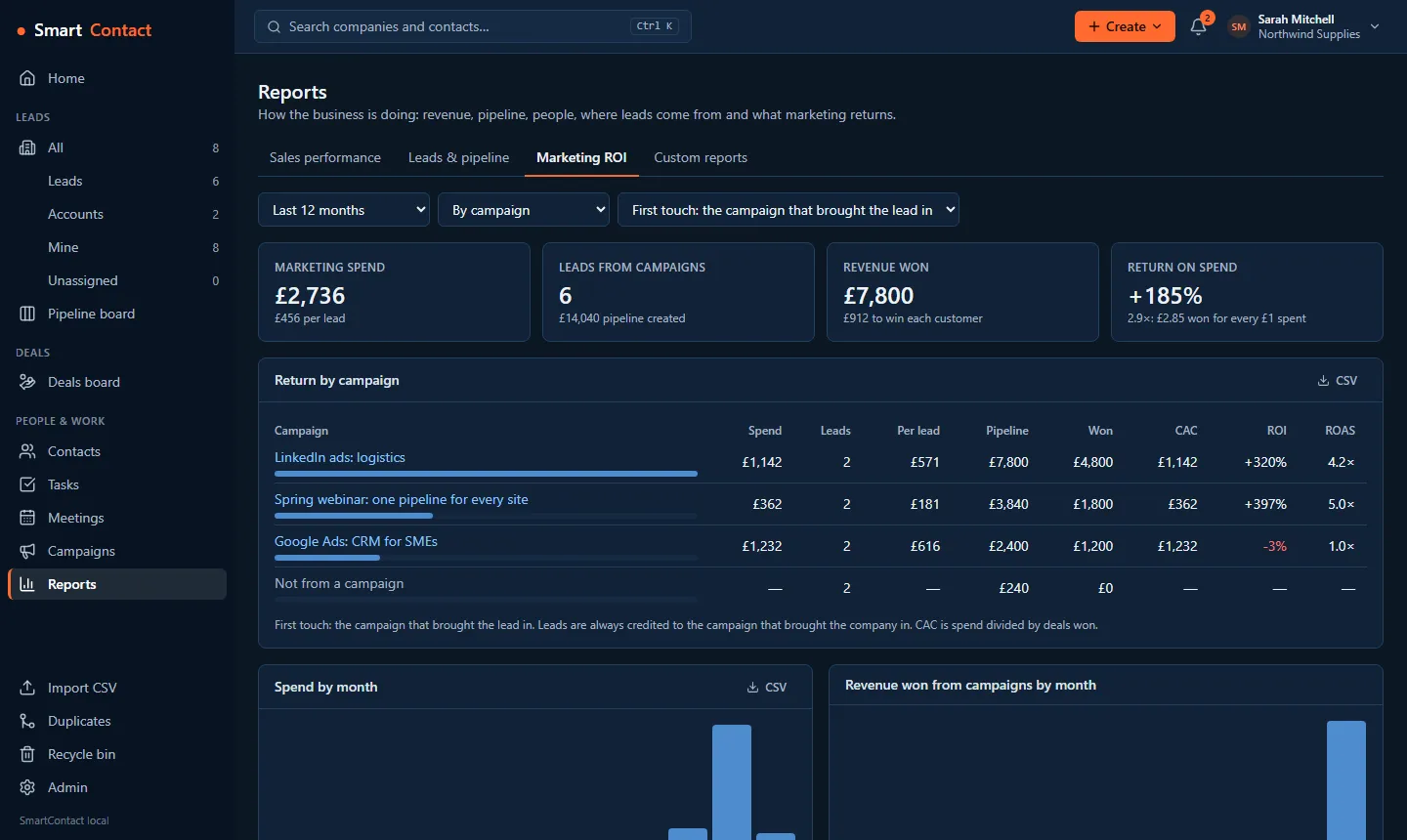
The Marketing ROI report: spend, leads, revenue won and return on spend, with each campaign's cost per lead, pipeline, revenue, CAC, ROI and ROAS.
Marketing ROI: what each campaign cost and what it brought in.

Reports

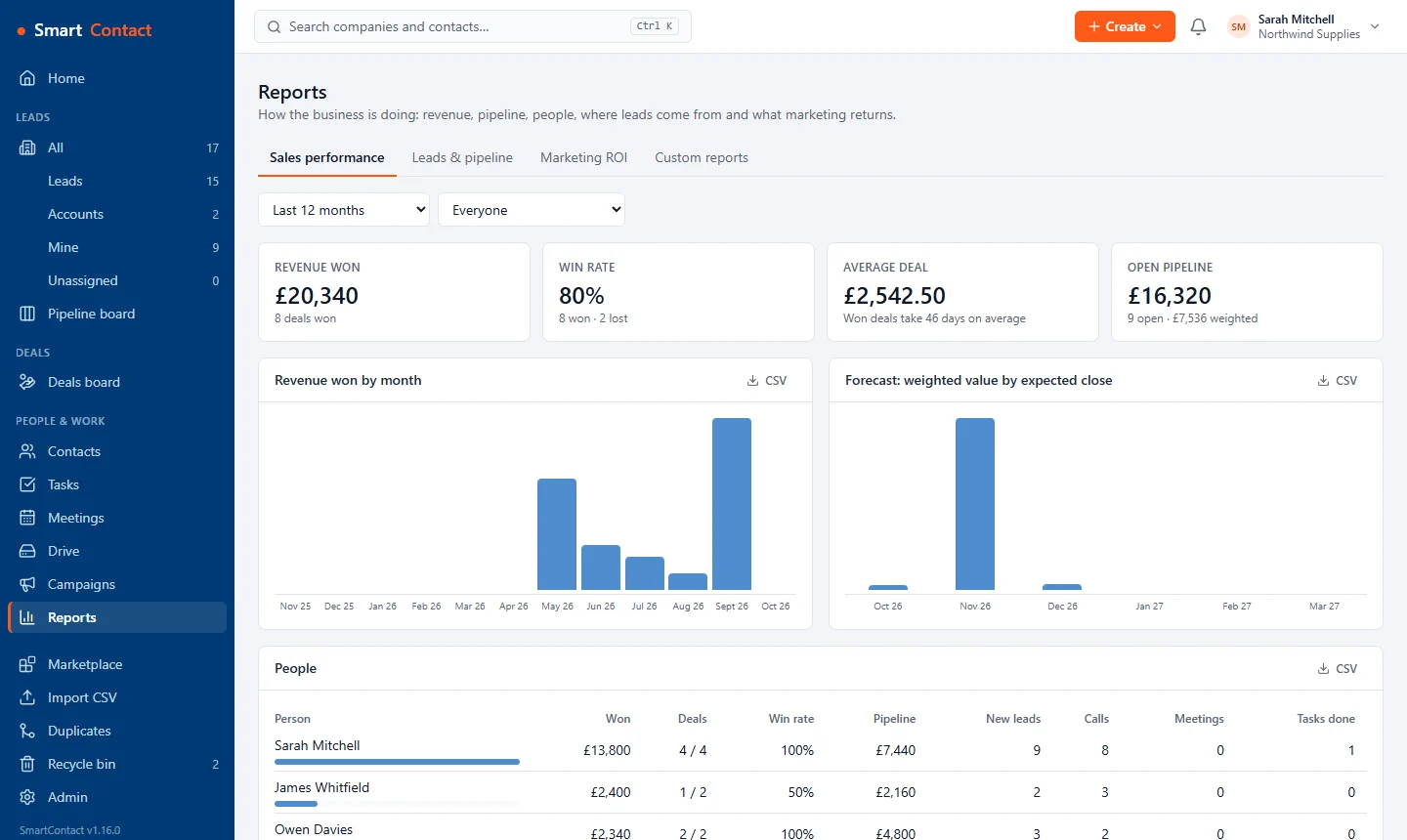
The sales performance report: revenue won, win rate, average deal and open pipeline, revenue by month, forecast by close date and a table of each person's results.
Sales performance: revenue, win rate, forecast and each person's numbers.
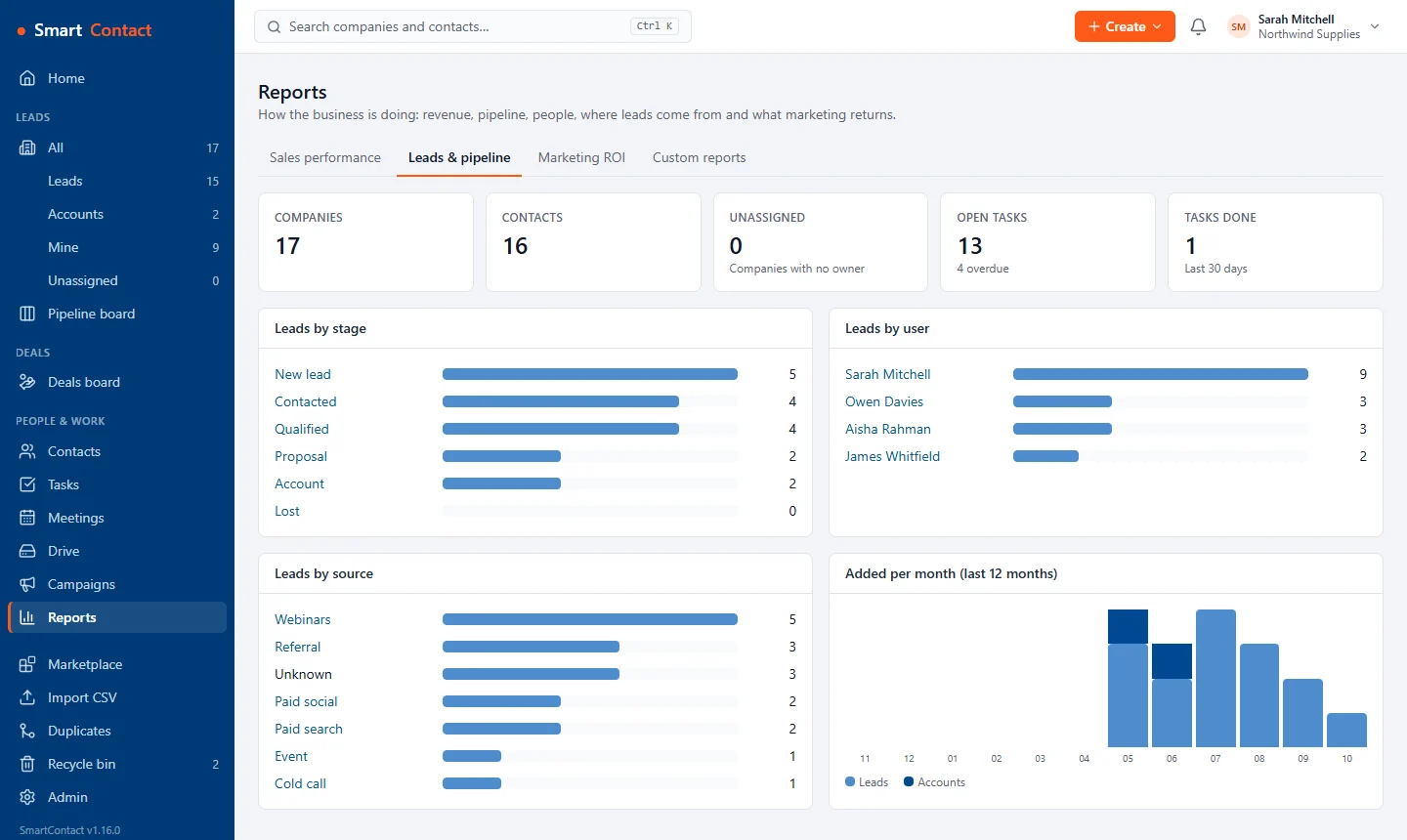
The leads and pipeline report: leads by stage, user and source, and companies added per month.
Where leads come from, who has them and how they move.
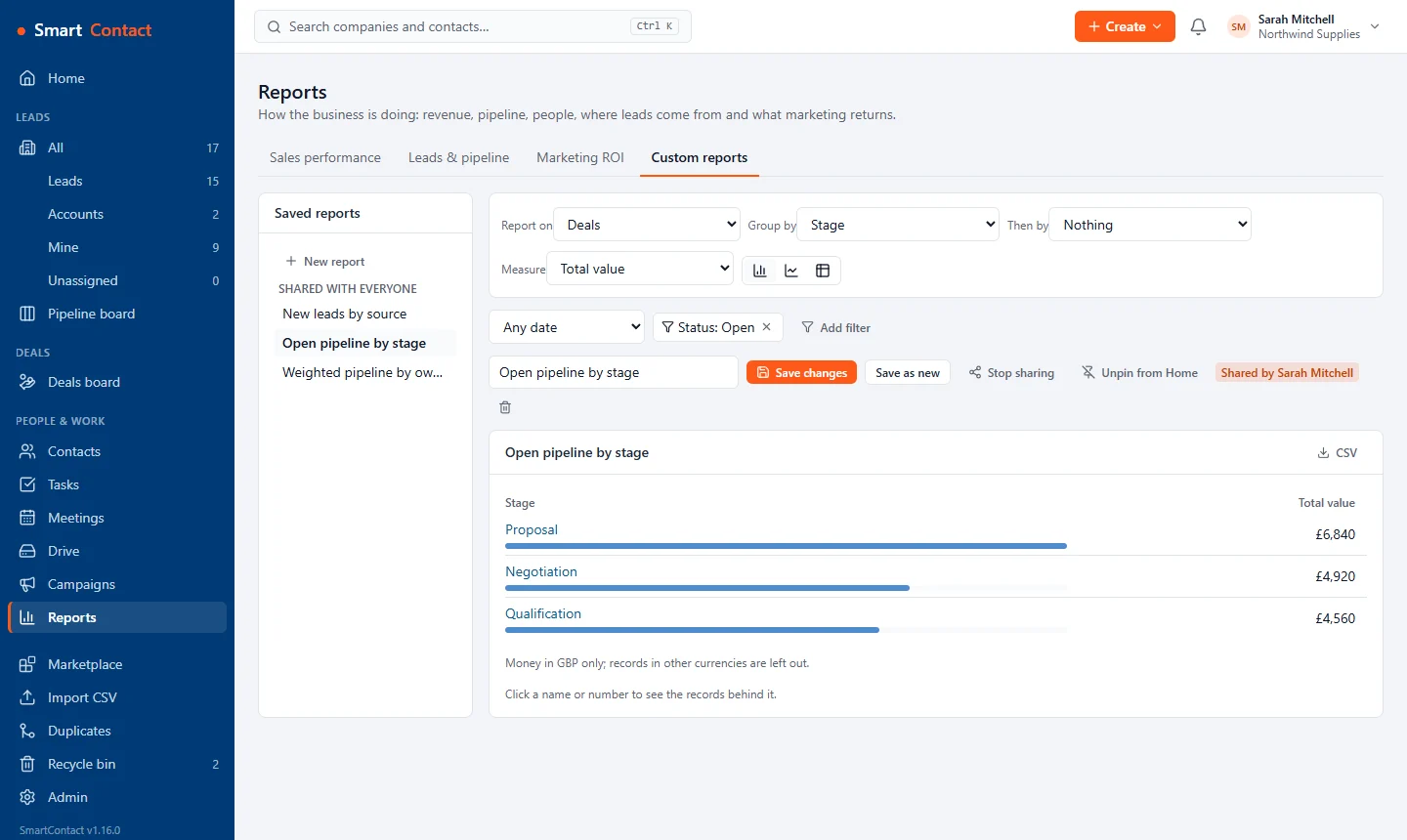
The report builder: a saved report of open pipeline value by stage, with filters, sharing and a pin to Home.
Build your own reports, share them and pin them to Home (Standard).

Admin

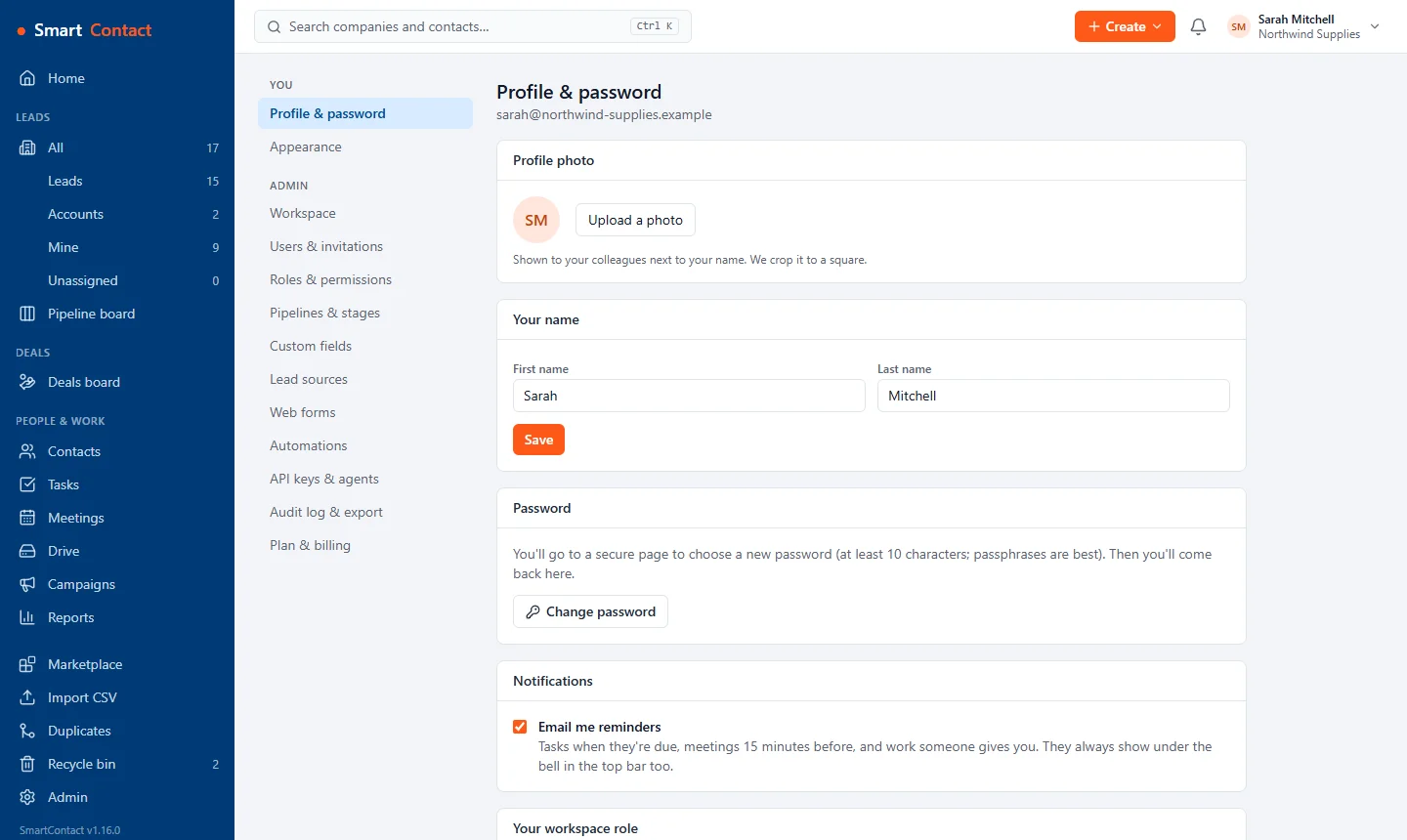
Profile and password: profile photo, name, password change and email reminder settings.
Your photo, name, password and reminder emails.
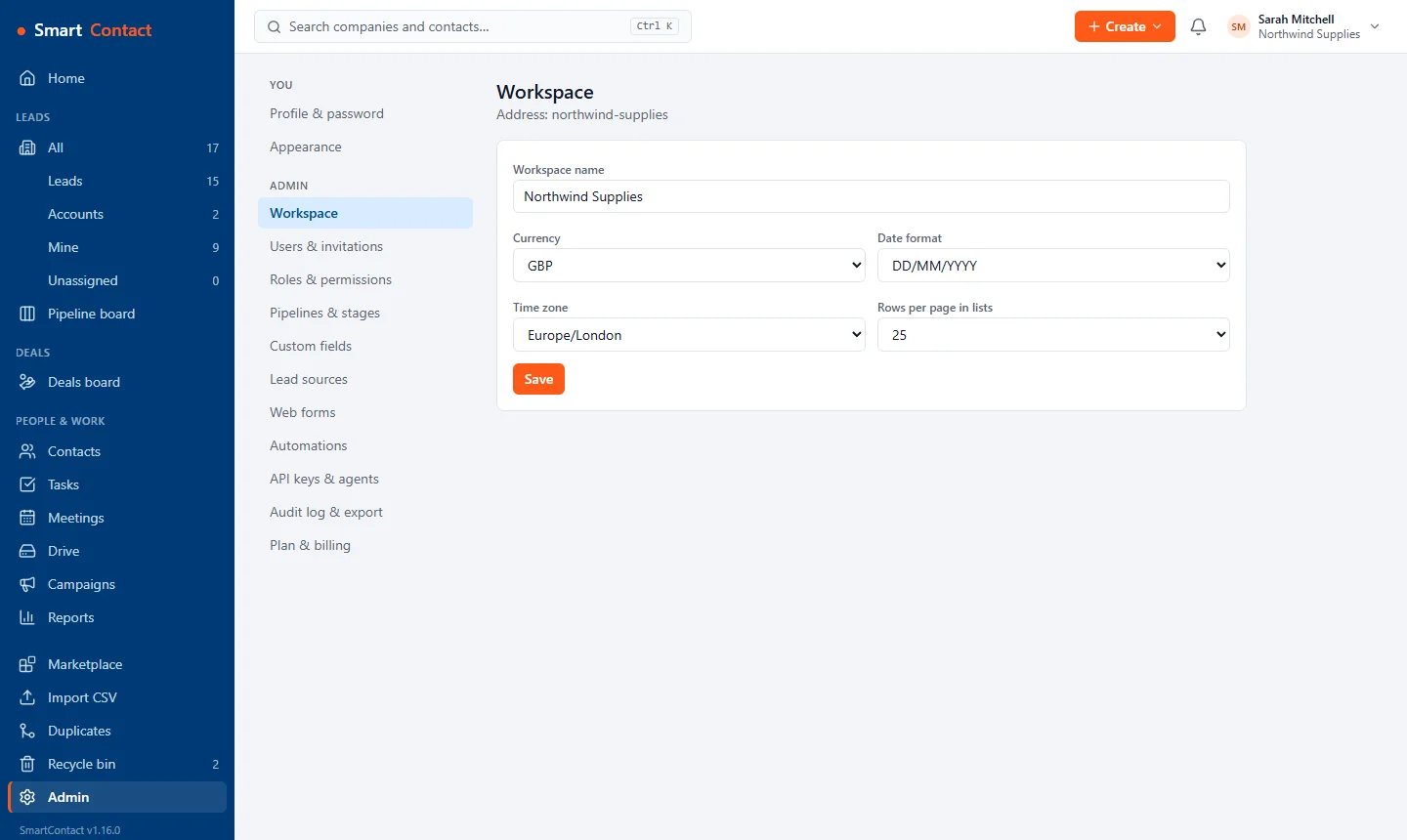
Workspace settings: name, currency, date format, time zone and rows per page.
Workspace name, currency, date format and time zone.
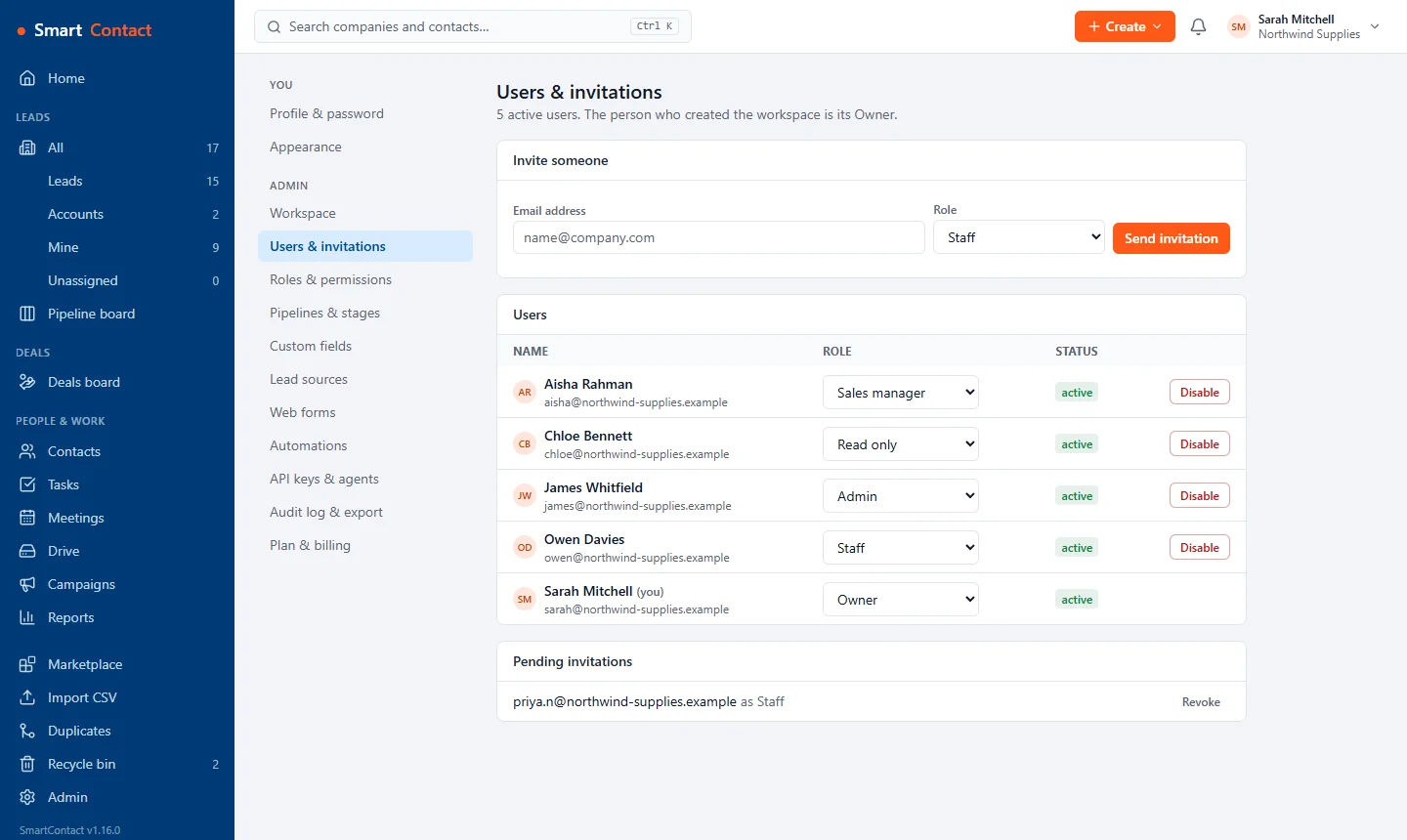
Users and invitations: five people with their roles and a pending invitation.
Invite your team and choose each person's role.
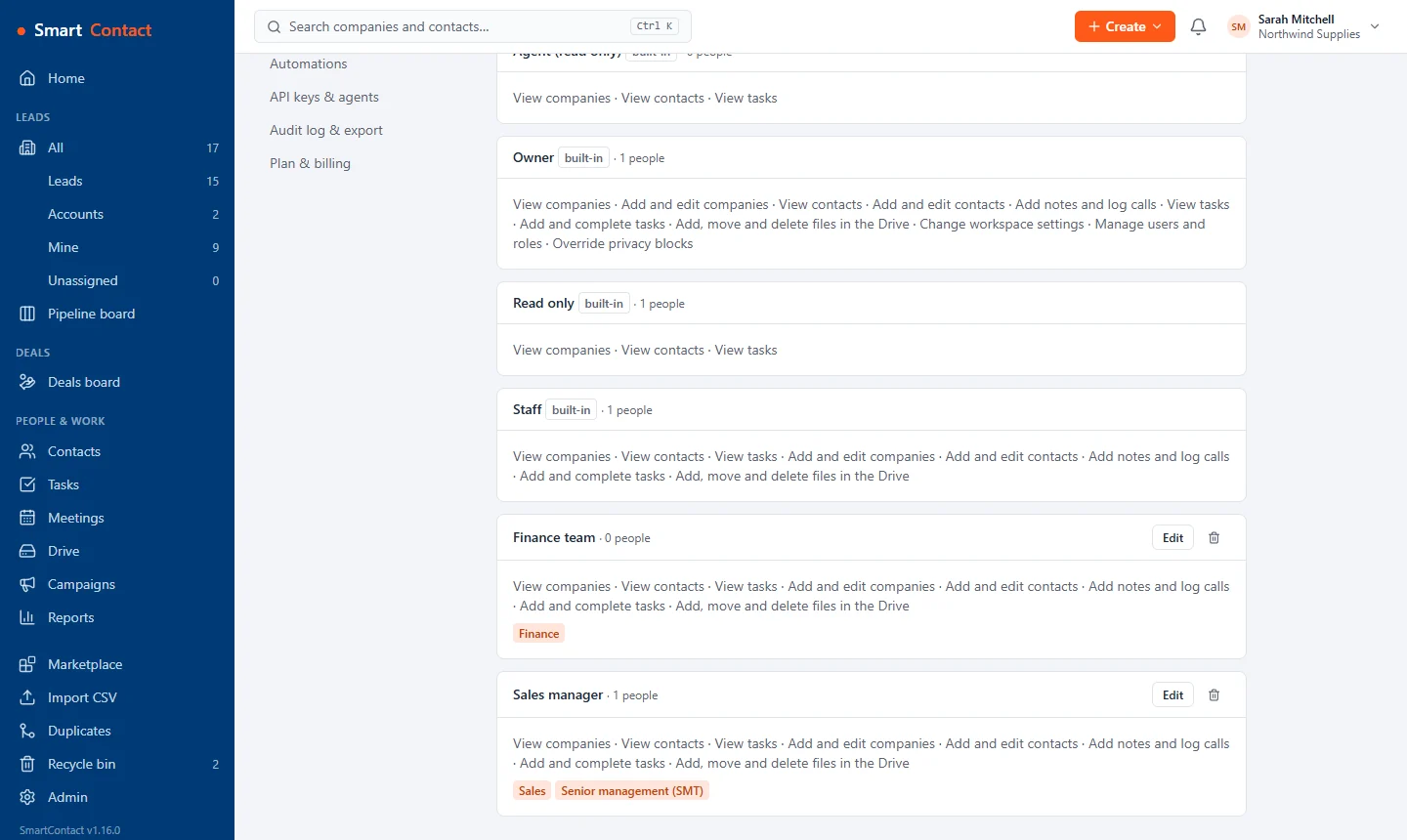
Roles and permissions, including custom roles for a sales manager and the finance team with their access groups.
Custom roles and access groups decide who sees which Drive folders.
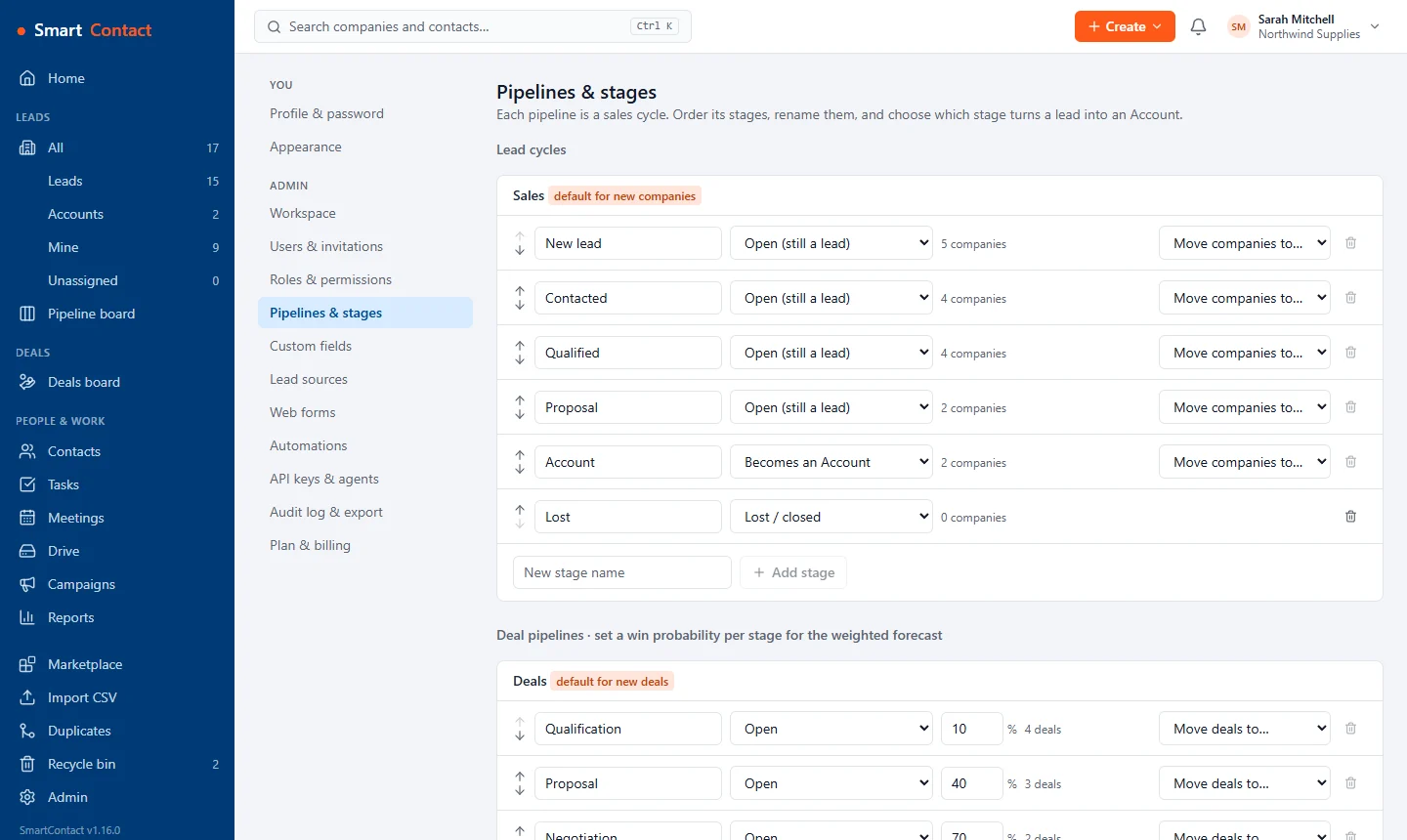
Pipeline and stage settings for companies and deals.
Set up your own pipelines and stages.
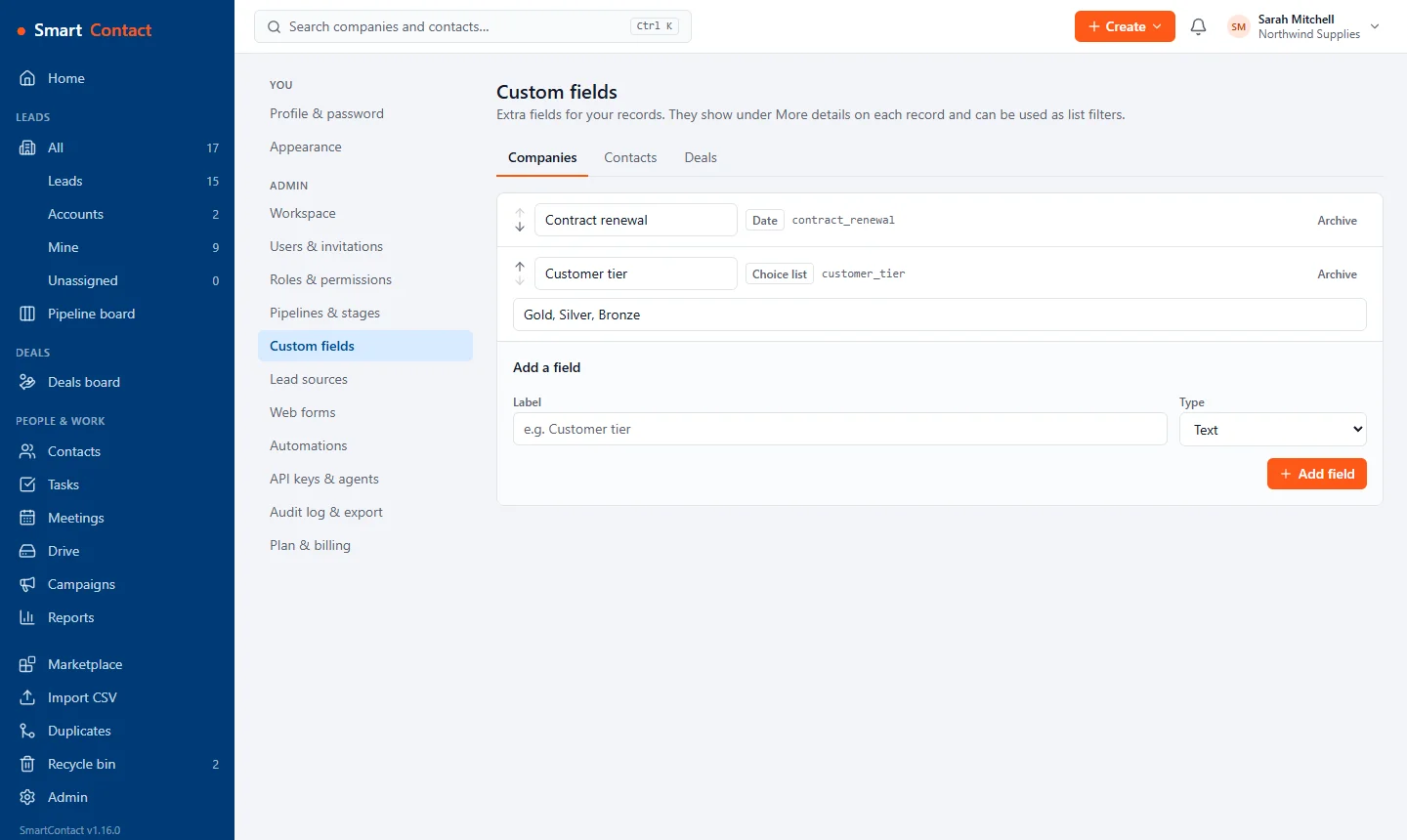
Custom fields for companies and deals.
Add custom fields to companies, contacts and deals.
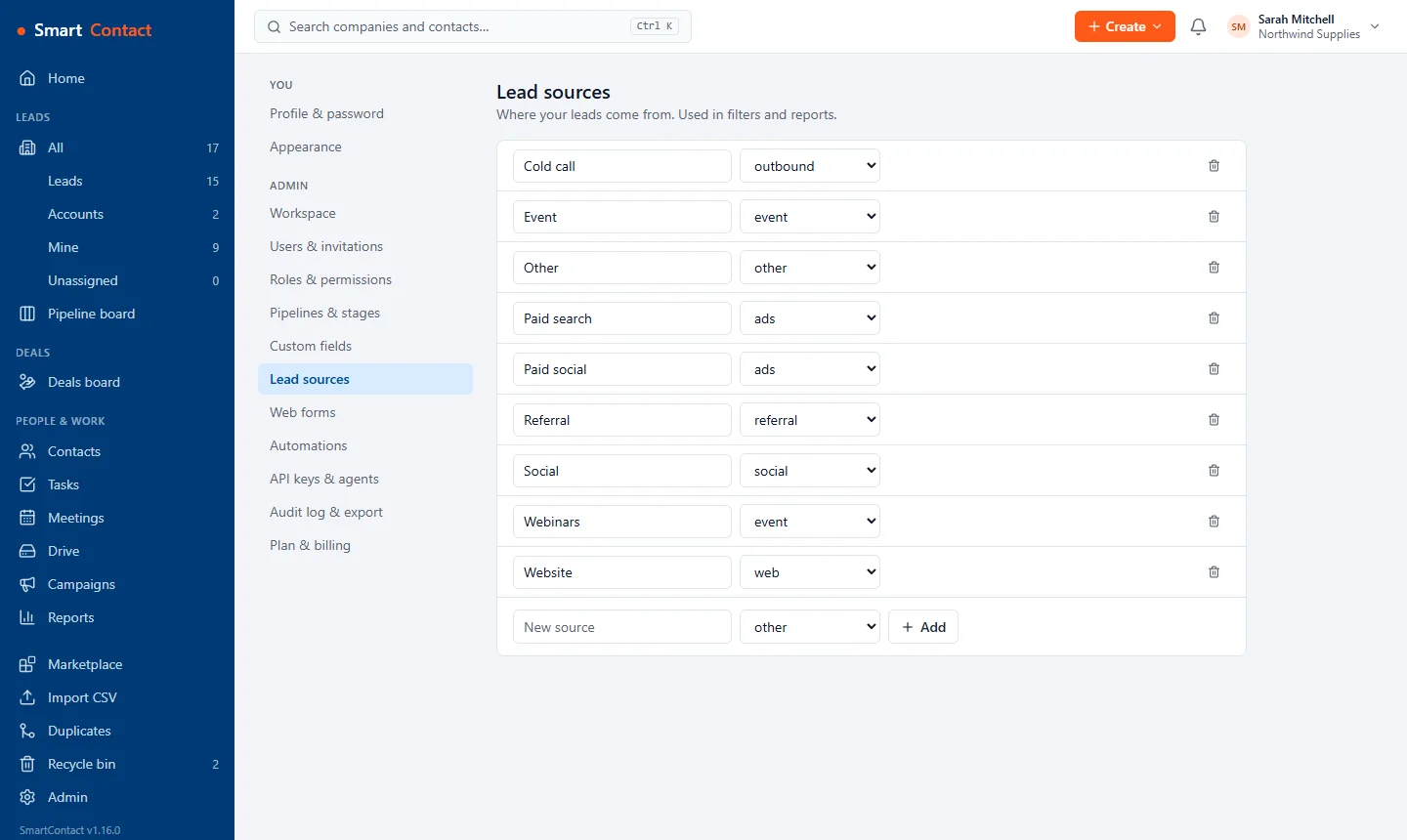
Lead sources such as cold call, event, paid search, referral, webinars and website, each with its channel.
Your own lead sources, used in filters and reports.
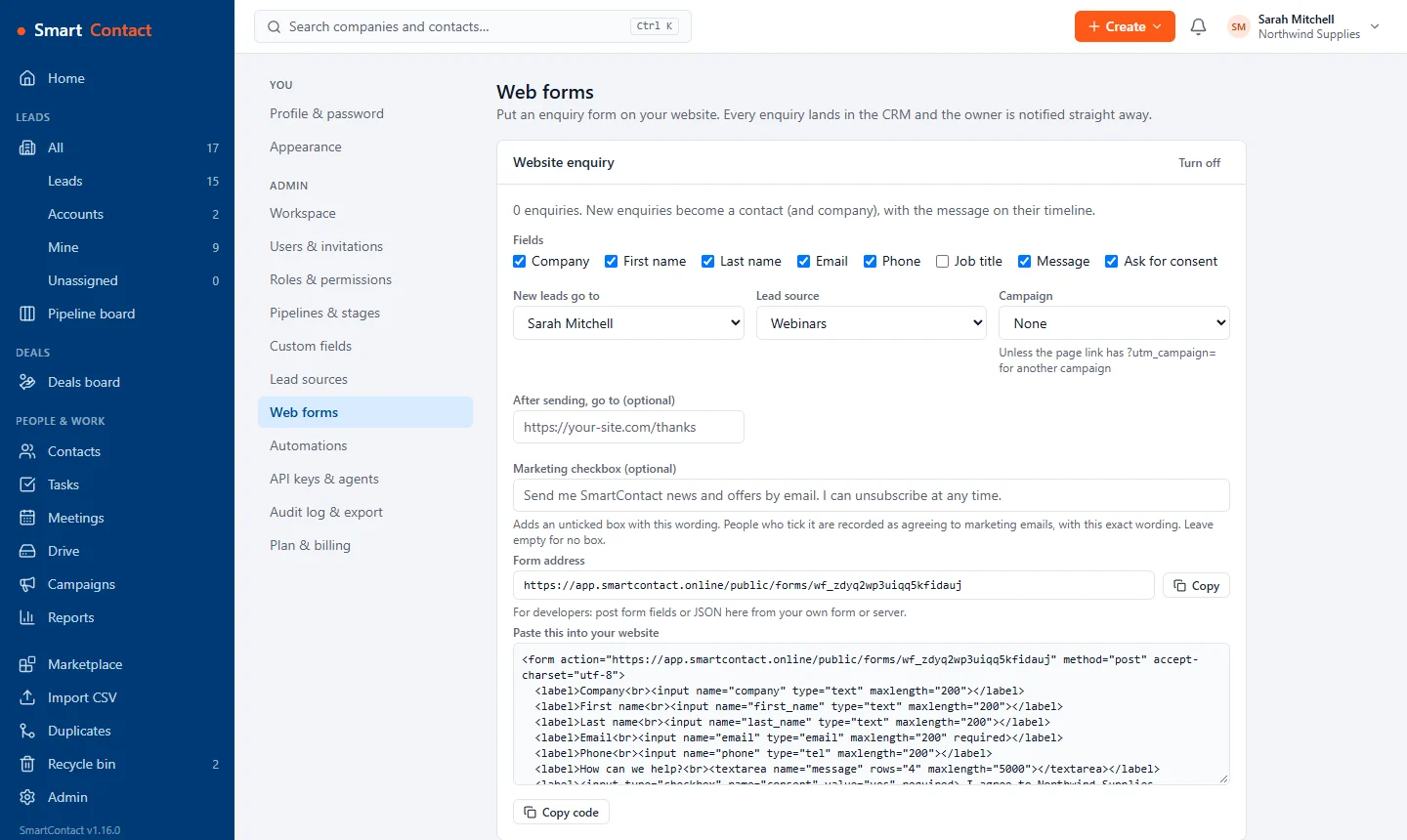
A web-to-lead form with its fields, consent wording and the code to paste into a website.
Web forms that drop enquiries straight into the CRM, with consent recorded.
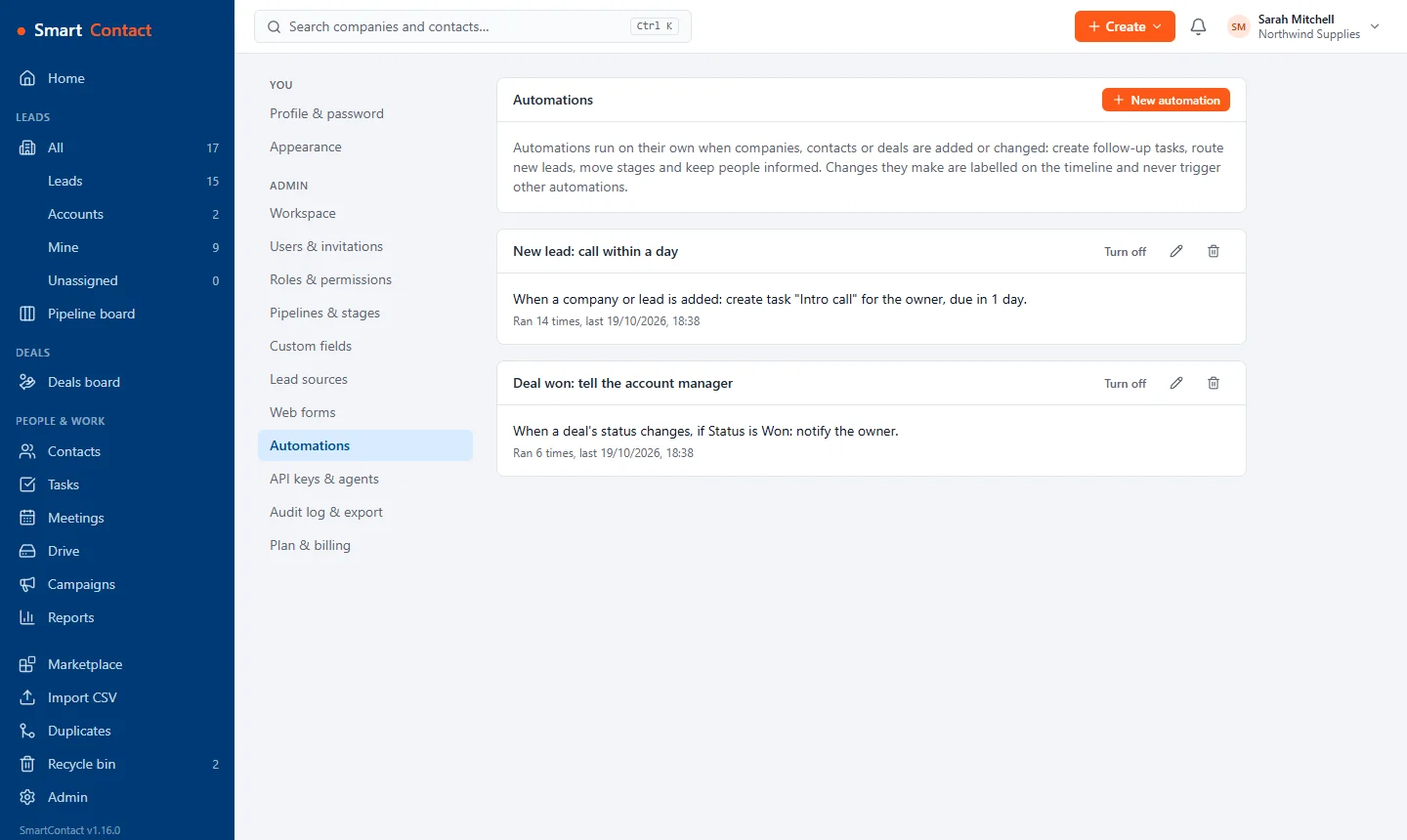
Two automations: a task for every new lead, and a notification when a deal is won.
Automations for follow-up tasks, routing and alerts.
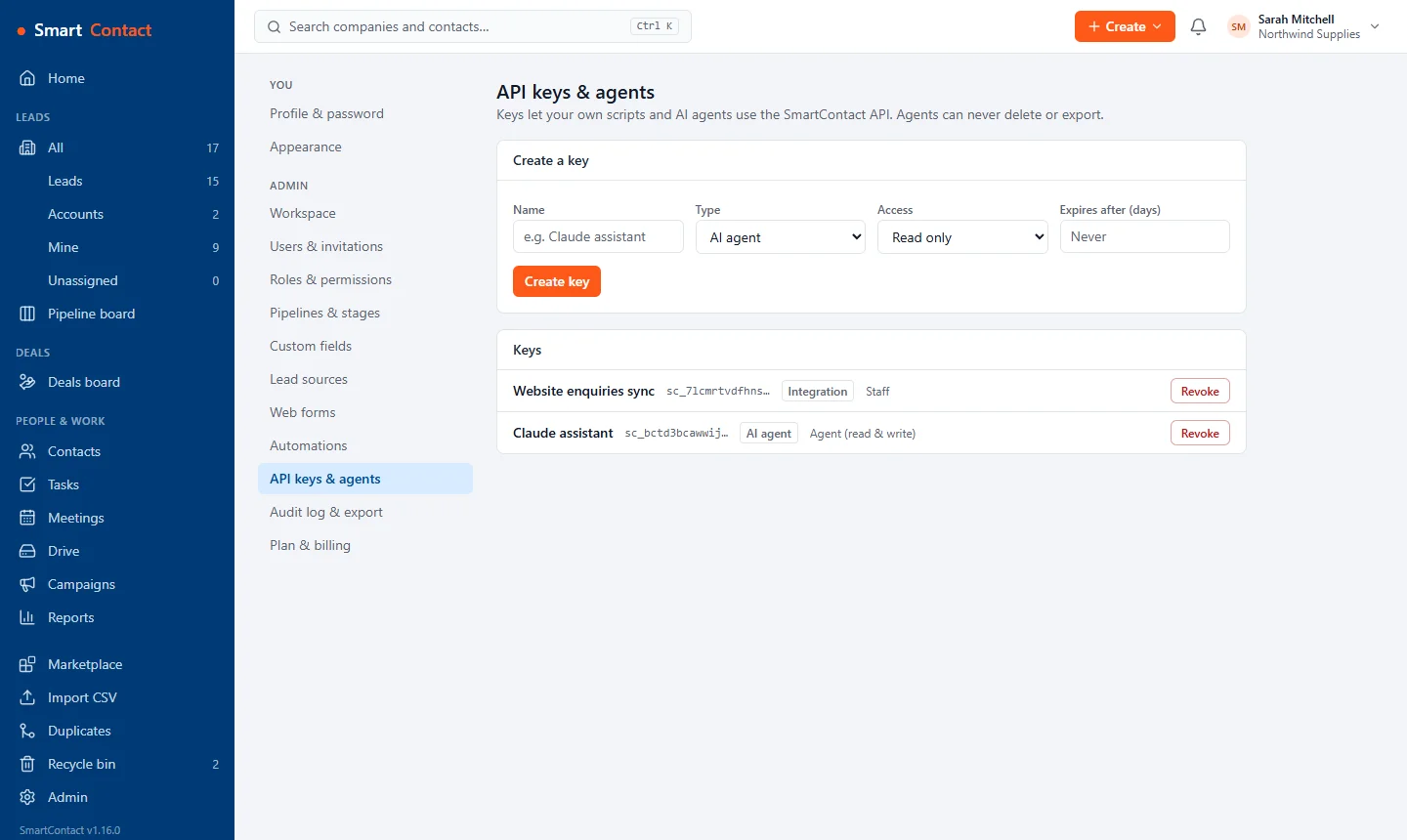
API keys for an AI agent and an integration, each with its own role.
Keys for your scripts and AI agents, each limited to a role.
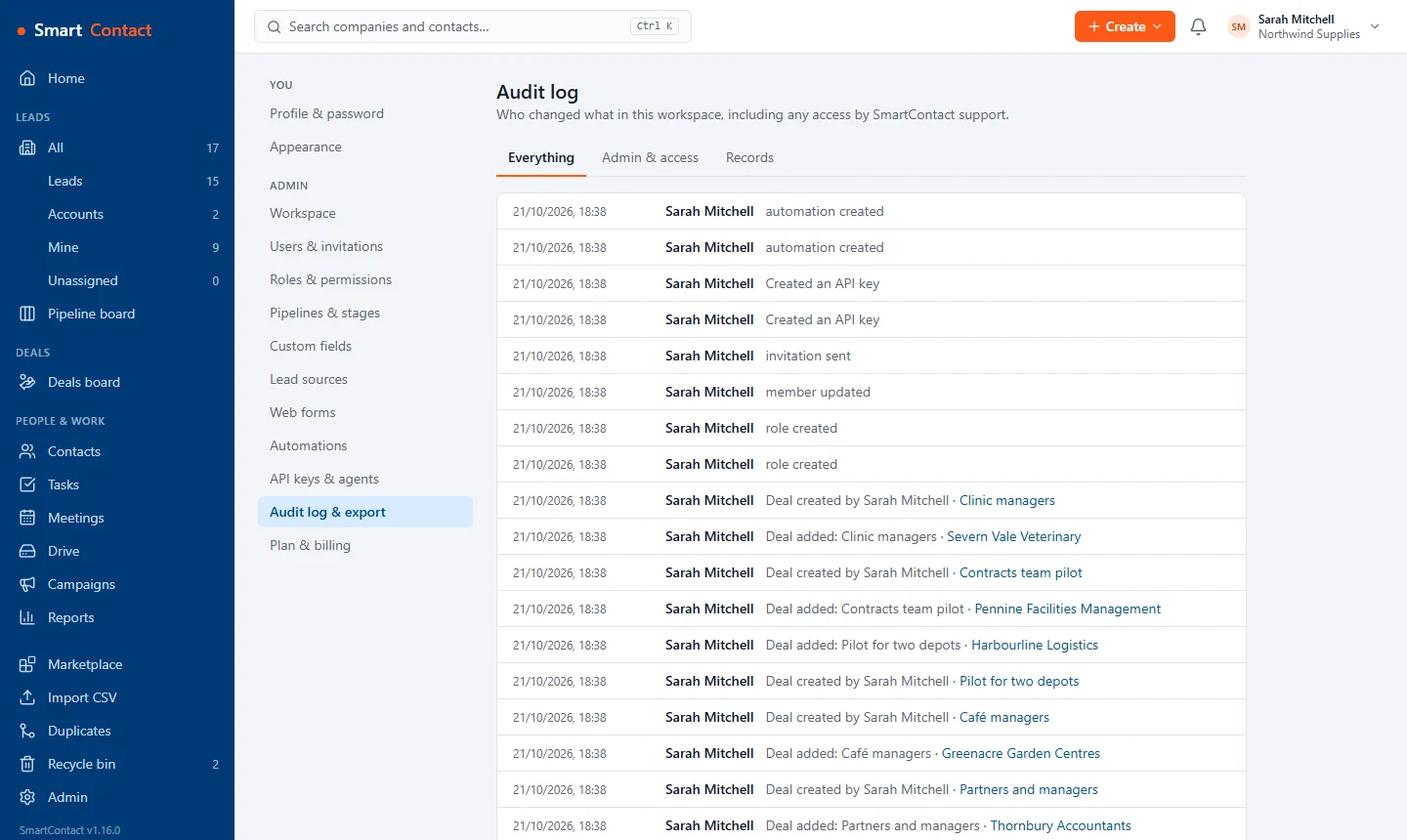
The audit log listing who changed what and when.
An audit log of every change, and a full export whenever you want it.
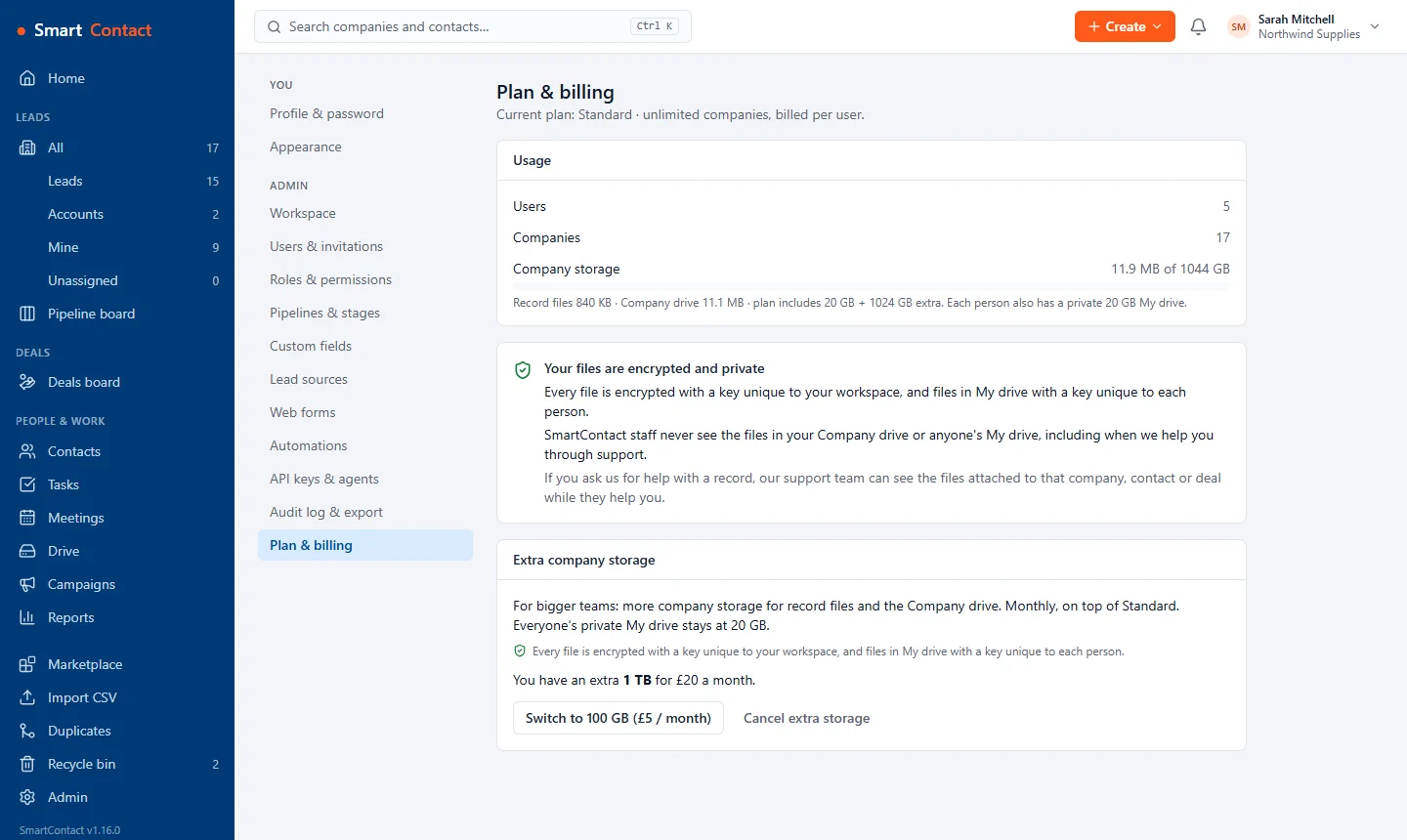
Plan and billing: users, companies and company storage used, the encryption note and the extra storage add-on.
Plan, storage and extra space in one place.
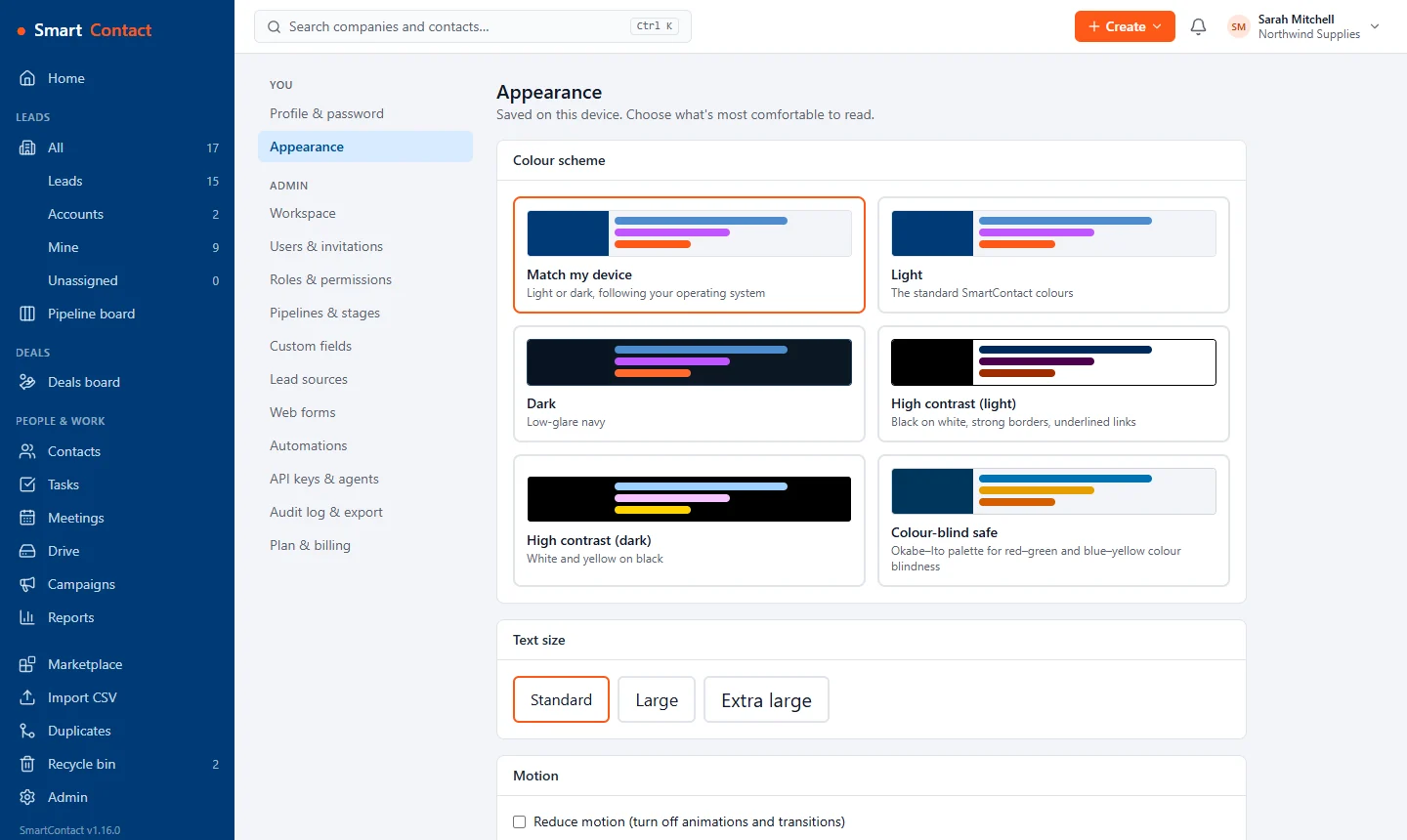
Appearance settings: colour schemes including dark, high contrast and colour-blind safe, and text size.
Dark, high-contrast and colour-blind-safe schemes, and larger text.

Start free Try the demo See pricing